Map the mess.
Your systems can keep their own codes. Connect each spelling to the same shared record: one product, one meaning, three ways to find it.

Stop 1 of 4
Make room for every spelling
In the example, your ERP says 100245, your webshop cof-arabica-1kg and your warehouse WH-CF-01. They all mean the same product.
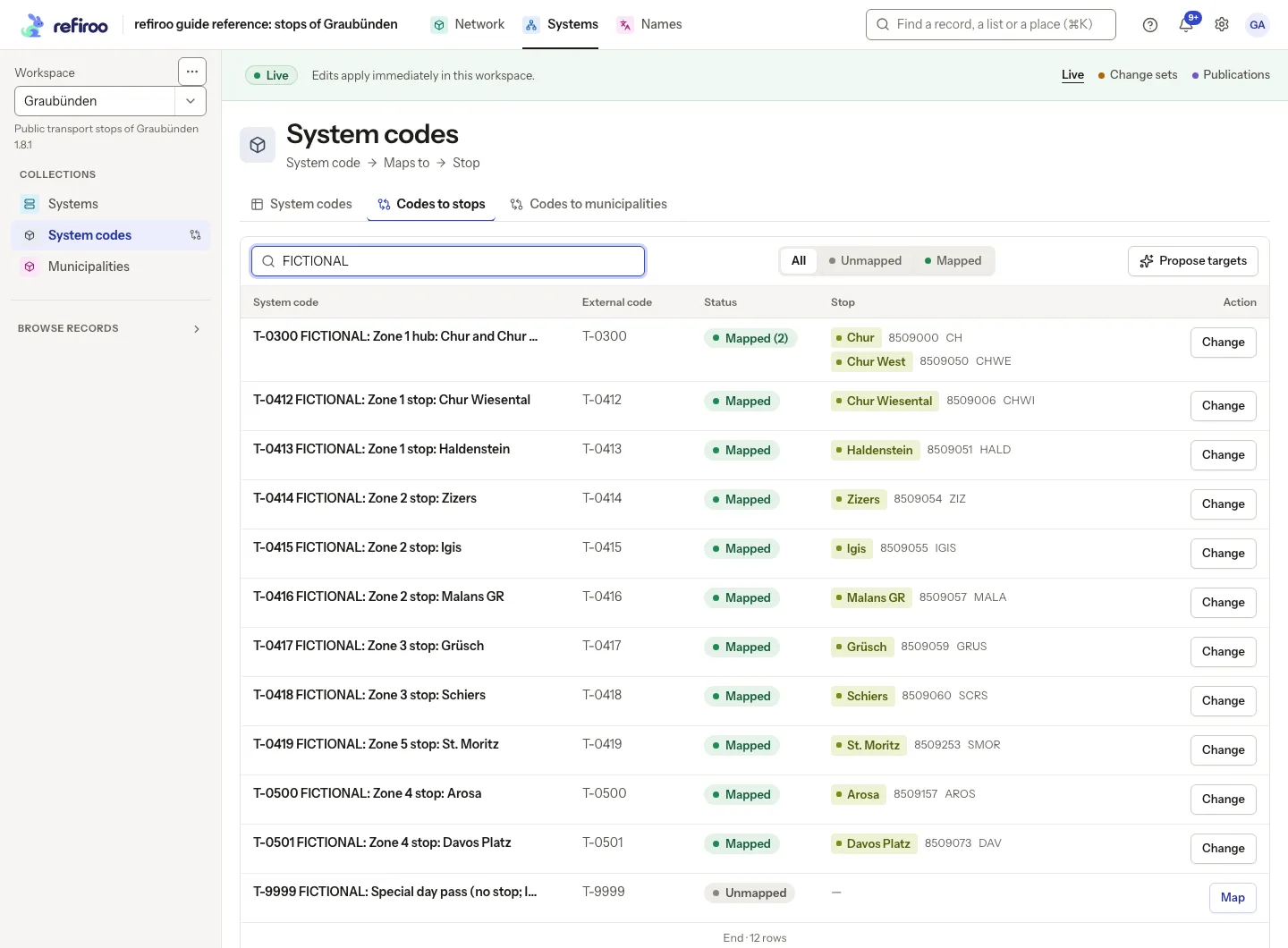
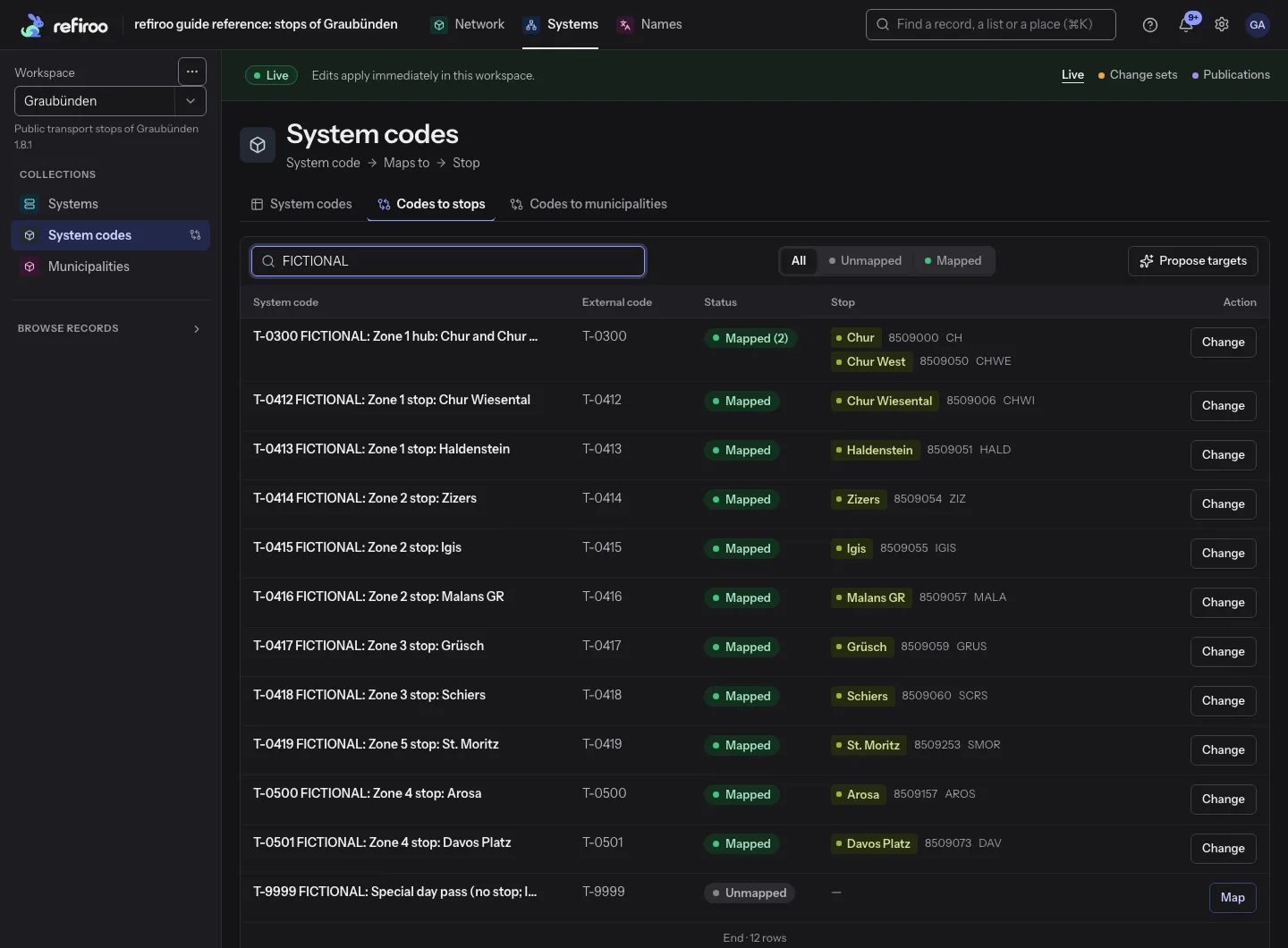
A mapping grid connects records on one side of a relationship to records on the other. You might use it to link another system's codes to the shared records they mean.
Each row gives you a source value, its connected targets and its state: mapped, unmapped or ambiguous. You can see how the connections are coming along across the whole list.
- Unmapped means no target, Mapped means exactly one and Ambiguous means more than one.
- Use All, Unmapped, Mapped or Ambiguous with search to narrow the whole list; the counts cover every matching row.
- Ambiguous describes several stored connections, which can be valid when the relationship allows them; it does not mean a doubtful guess.
- Target chips show names and the identifying fields your model chose, helping you check whether similar names really mean the same thing.
In the API: mapping operations read a mapping view's coverage, candidate records and target membership.
Stop 2 of 4
Connect to the shared meaning
Link each system's code to the same product and each system can still find its own value. Everyone keeps their spelling; you keep the meaning together.
Search the candidates to choose, replace or clear a target in one action. Choosing one replaces the existing targets rather than adding another alongside them.
Remove mapping keeps both records and clears their connection. A replacement saves together or is refused, so you never get half a mapping change.
- If a target is missing, Create new opens its record form; finish Save mapping separately to connect it.
- A save in Live applies straight away; in a change set, it waits for publication.
- If someone changes the mapping after you read it, Mapping conflict shows the current version for you to review.
- You can let someone inspect mappings, prepare them in change sets or edit them in Live too, according to the access you give them.
In the API: a mapping save replaces a source's whole target set at once. Read the set and keep its version, then send all intended targets.
Stop 3 of 4
A little help finding a match
With an AI provider connected, you can ask refiroo for targets for unmapped values. Look over the proposals, change a target, keep it or remove it; you decide what reaches Live.
Choose Propose targets to ask the provider. Each answer that passes the checks becomes an ordinary mapping in your chosen change set, leaving Live as it is.
Choose Proposed under Mapping status to see the proposals, each with the provider's confidence and reason. Changing a target makes it your choice and removes its AI mark. Publication keeps the usual approval and conflict checks.
- You need permission to use AI proposals and work in change sets, in a writable workspace; proposals are unavailable in a publication.
- The provider receives source and candidate target names and the fields shown by the view; without a provider, this feature sends nothing.
- With up to 100 eligible targets, all are candidates; above that, each source gets its 20 closest by name and searchable fields.
- The job separates Proposed, Left unmapped: no likely target and Changed meanwhile, not touched, so you can see what happened.
- The person running refiroo sets a minimum confidence; answers below it, invented targets and missing targets leave the source unmapped.
In the API: the mapping-proposal operation prepares targets into a change set, and mapping coverage reads them with proposed=true. It never writes live data or publishes.
Stop 4 of 4
Let your systems find their way
Your other systems can look up a business object by a code, ID or name, its own or a related record's. The consumer API's declared weights score and order the results.
A crosswalk asks for the representation you need, such as a code in another system. It keeps source matching and scoring as they were, and is available where your API declares it.
For several questions at once, Batch resolve keeps your input order and gives each its own outcome.
- XREF can return scored business objects or the single best answer when no other result ties with it.
- Your answer can include system codes, translations, a parent and an ancestor path, as declared by the API.
- Your API chooses whether to offer XREF, Batch resolve, lists and events.
- Your client needs a token for the consumer API and a grant in that workspace; management access alone does not open consumer data.
In the API: a consumer API offers the XREF lookup, Batch resolve and Crosswalk operations, and an API index that points to each contract's OpenAPI document.
ERP100245
Webshopcof-arabica-1kg
WarehouseWH-CF-01
ParentCoffee
In the app
Those different spellings meet here, ready for you to connect the dots.
At a glance
Mapping in four facts
What you do in the browser, what the API offers, who may do it and what it works with.
- Your grid
- You can filter a mapping grid to Unmapped, Mapped or Ambiguous, choose, replace or clear targets, and ask a connected AI provider for proposals in a change set.
- Your API
- You can read mapping coverage, candidates and membership, replace a source's complete target set and use a declared consumer API's XREF, Batch resolve and Crosswalk.
- Your people
- Anyone looking after the connections between systems can browse, prepare change-set mappings or edit Live and use AI proposals, with the access you choose for them.
- Works with
- Views show your mapping grids; Change sets hold the mappings you prepare until publication; AI proposes targets for unmapped values into a change set; the API's consumer API answers XREF, Batch resolve and Crosswalk lookups.