Let your changes travel together.
Rename a product, move its category and change its webshop code in one change set. Review the whole group, then publish it in one step, so everyone sees the complete change together.

Stop 1 of 5
A live correction
For an everyday addition or correction, save directly to Live: a record, field, translation, parent or ordinary relationship. refiroo checks the data, protects newer work and records the change, without a change set or publication.
If someone changed the record while you were editing, you keep your input and see their newer version. Nothing is silently overwritten.
Others can keep working in Live while a change set is open. Changing many records does not, by itself, mean you need a change set.
- The green Live banner means saves apply straight away; the orange Change set banner means they wait for publication.
- Before deleting a record, you see what else would be removed or disconnected and confirm your choice.
- Select records by hand, by a range or by every matching result, then preview changes and refusals before applying them together.
- Successful live saves appear in the record's History; refused saves do not.
In the API: the record and relationship operations write live data, or write within a change set; updates claim the record's version.
Stop 2 of 5
Give related edits a home
Prepare a product's new name, category and webshop code together in a change set. Everyone else can carry on correcting live data meanwhile.
Start from current live data or an earlier publication; a name is all a new change set asks for, and the rest waits under Options. Starting from an older snapshot does not restore it over today's data: publication applies only the changes you make.
Inside the change set, your lists and record pages show its starting copy with your changes. Later live edits leave that copy as it was.
- A change set belongs to one workspace and can hold additions, corrections, moves, relationships and deletions across its applications.
- You can prepare against a newer model version while Live still uses the current one.
- Share the work with others who have access; if someone changes the change set first, an older save can be refused so you can review their work.
- Reshape a hierarchy in a change set, with every affected record previewed before anything changes.
- Mapping, translation, hierarchy and bulk work can also be done live; the kind of work alone does not require a change set.
In the API: create a change set from current live data or from a publication; the same record and relationship operations then write inside it.
Stop 3 of 5
Take a look together
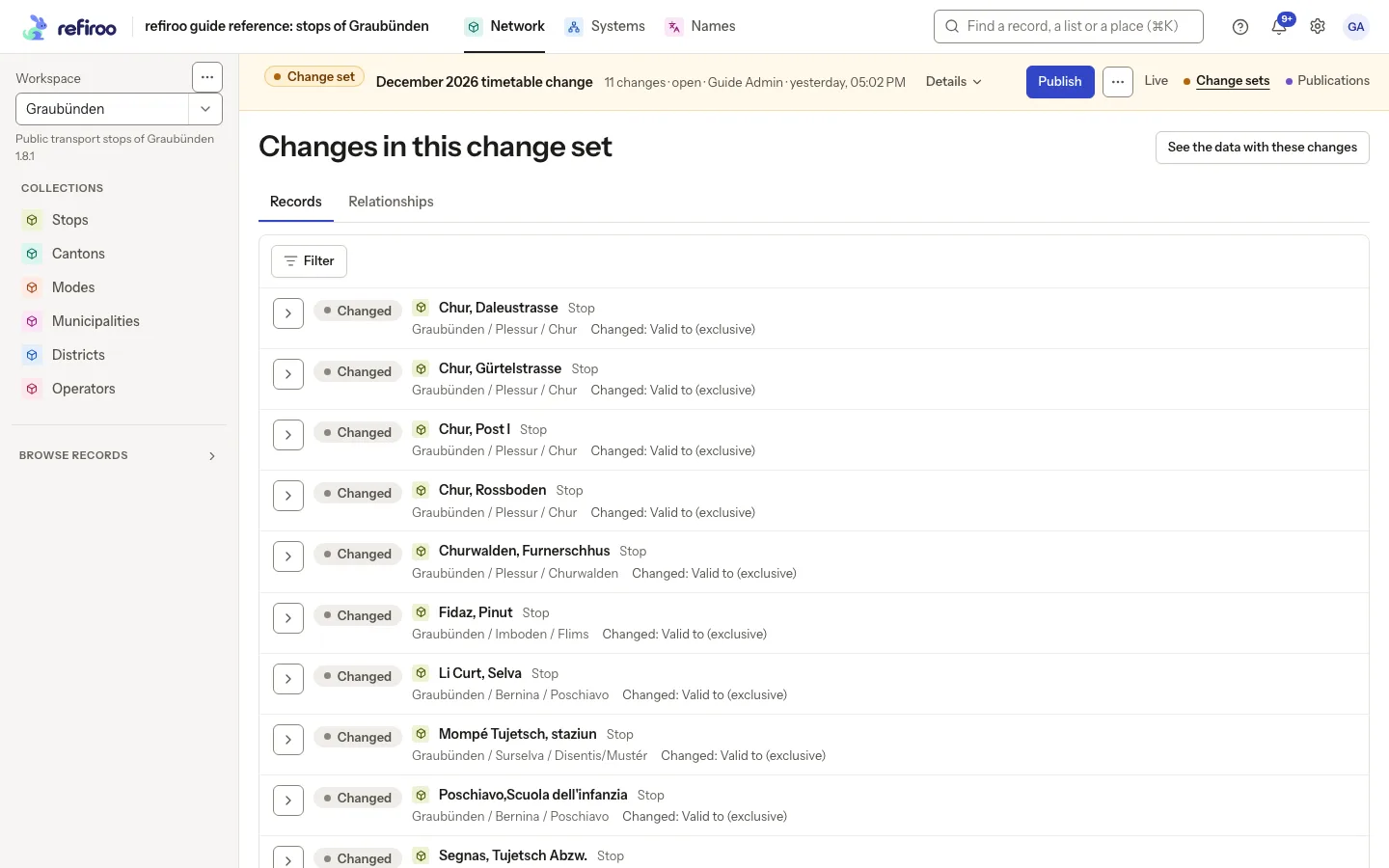
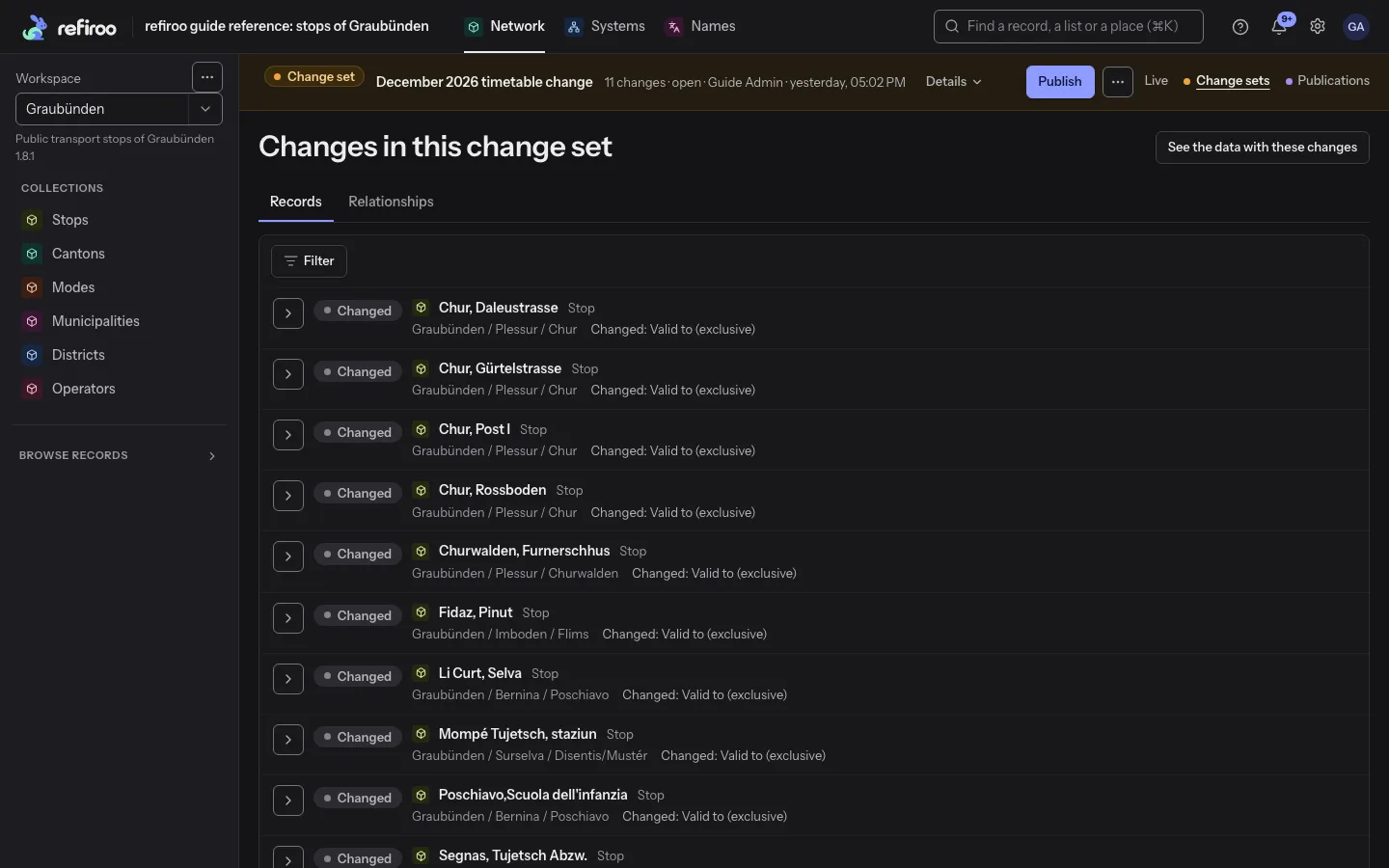
Review changes shows every record and relationship you add, change or remove, with changed fields before and after. You can see the whole proposal before it reaches anyone else.
Validate now, in the change set's ⋯ menu, checks the complete proposal against its model whenever you like. Live data can still change afterwards, so publication checks the current situation again.
If your workspace needs approval, submit with an optional comment. Someone authorised to decide can approve and publish, or send it back with a comment. Submitting leaves Live as it is.
- Use Records for additions, changes, removals, moves and type changes, and Relationships for connections; filters help you focus either list.
- If you started from a publication, the review's before values come from that snapshot rather than today's Live.
- Approval has two choices: require approval before publication, and require someone other than the submitter to decide.
- Requests appear under Waiting for your approval on Home and in the bell; work sent back comes with the reason.
- A waiting change set stays frozen until its submitter or an authorised approver withdraws the request.
In the API: operations cover creation, validation, submission, decisions and publication; change lists show each record and relationship as a delta; workspace webhooks deliver change-set.submitted, change-set.approved and change-set.sent-back.
Stop 4 of 5
Send it live in one go
Publish when you are ready. refiroo checks first, then one plain confirmation names the records and relationships about to go live. Unrelated live edits survive, including new live records your change set has not changed.
If Live and the change set both changed the same record, even in different fields, refiroo names the conflict and publishes nothing. Both sides' work stays safe.
The whole publication succeeds or nothing changes. On success, you see Published as Publication followed by its number.
- You choose who can publish, and who can also approve submitted work; approval needs its own permission.
- Your confirmation belongs to the change-set version and current publication you reviewed; if either has moved on, refiroo refuses the stale attempt and keeps both sides.
- The new publication becomes Current and keeps the model release it was published under.
- Follow a workspace to hear when a change set is published there; your own publications do not send you a notice.
- If the check finds problems, nothing is published and you see each one, with a link to its record.
In the API: publication claims the change-set version and the expected current publication; if another publication won, nothing publishes (PUBLICATION_CONFLICT).
Stop 5 of 5
Keep the story
Every publication stays as a read-only snapshot you can browse. Withdrawing one keeps its history too.
A snapshot keeps the model release it was published under. Later corrections and model changes leave it as it was.
Choose a name in a record's history to see what that person or system changed, newest first, wherever you have access.
- Filter a record's History by All, Values, Relationships or Moves and by person; expand an entry for previous values where recorded.
- A workspace's Activity brings Records, Relationships, Change sets and Publications together with the person and time.
- Changes made by a publication name it as their cause, and changes made by a job name that job.
- Withdraw publication marks the current snapshot Withdrawn, keeping Live as it is and leaving no older publication automatically current.
- Start a change set from this publication lets you begin fresh work from an earlier snapshot.
In the API: the changes collection selects the caller's own changes or all visible actors, with workspace, kind and period filters; edits made through MCP carry channel: mcp.
You stay in charge
It proposes. You publish.
An assistant prepares a change the way a colleague would. You look it over, and nothing goes live until a person publishes it.
- assistantPrepares
Opens a change set, adds and corrects, and checks its work.
- assistantSubmits
Every row it touched is marked Prepared by an assistant.
- youReview
Keep, correct or drop each change, as you would a colleague's.
- youPublish
Only now do the API, the change feed and the webhooks see it.
In the app
Here is your moment to look everything over before it goes live.
At a glance
Change sets in four facts
What you do in the browser, what the API offers, who may do it and what it works with.
- Your changes
- You can open a change set, edit, review, validate and submit or publish it, then browse the publications and each record's History.
- Your API
- You can create, validate, submit, decide and publish change sets, read their differences and follow the publication marker added to the change feed.
- Your people
- You can let people browse and review, prepare change sets, publish them or approve submitted work, with each level of trust granted separately.
- Works with
- Model releases stay with the change sets that started on them, Import loads its rows into a change set for review, and Mapping, translation, hierarchy and bulk work can happen live or inside a change set.