The same records. Many views.
A table, a tree, a mapping grid, a matrix or an API response: see the same records in the shape that helps with the job at hand.
The views, one step at a time
- 1 / 11
The model
A model describes your applications and record types: categories, products, markets, languages, and how they relate. Every view on this page is drawn from it.
- 2 / 11
A table
Open a collection as a table and edit it like one: a row per product, with its category and its ERP code. Edit a field in place, or a value or relationship from its cell in a list. Typed fields keep the values clean.
Search, filter by typed fields and sort lists of any size. Lists scroll continuously in both directions and show their totals.
Export what the page shows, with its filters, as an Excel workbook, CSV or JSON Lines.
- One sort at a time. Missing values come last.
- A relationship filter can mean Is any of, Has none or Has any.
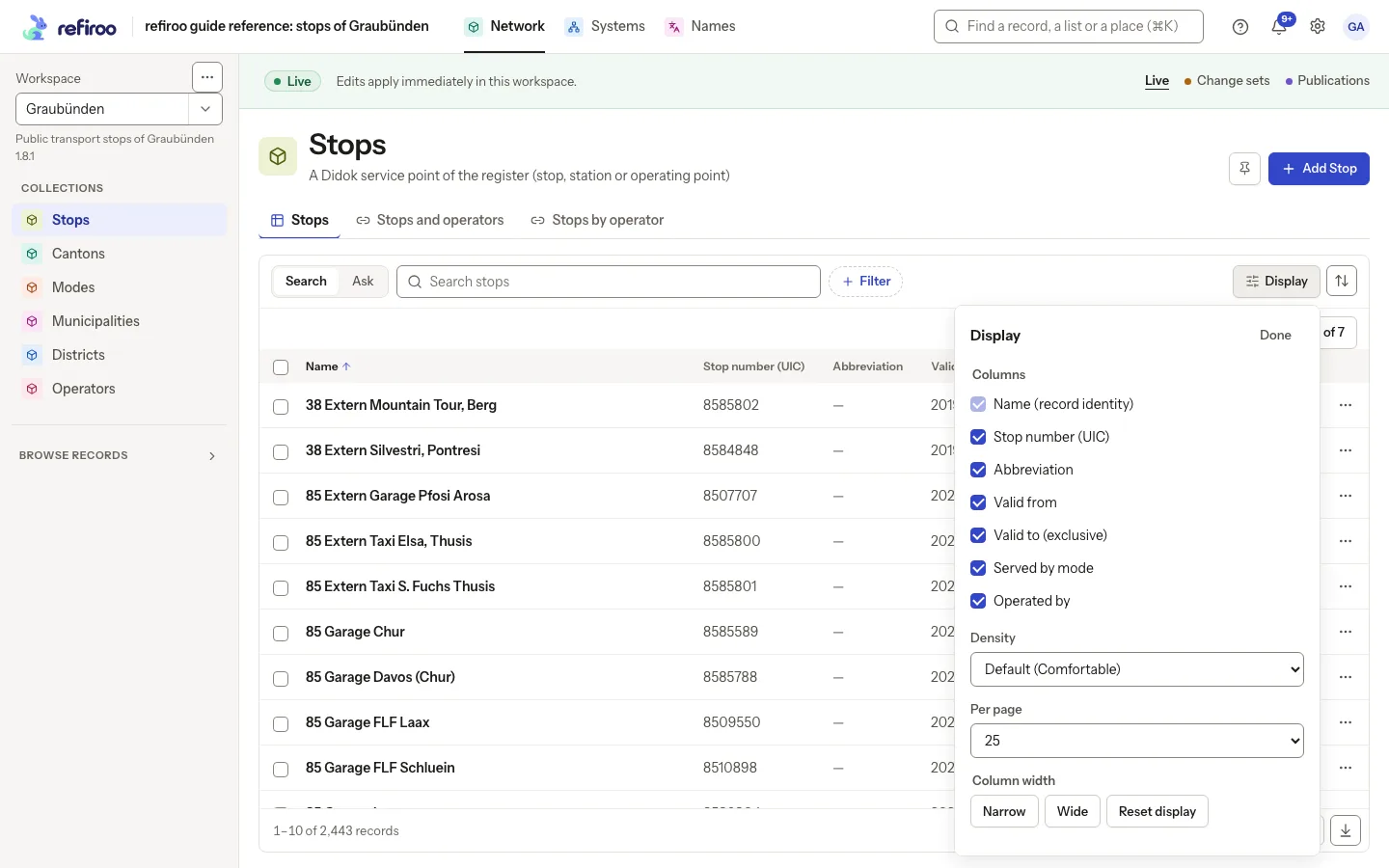
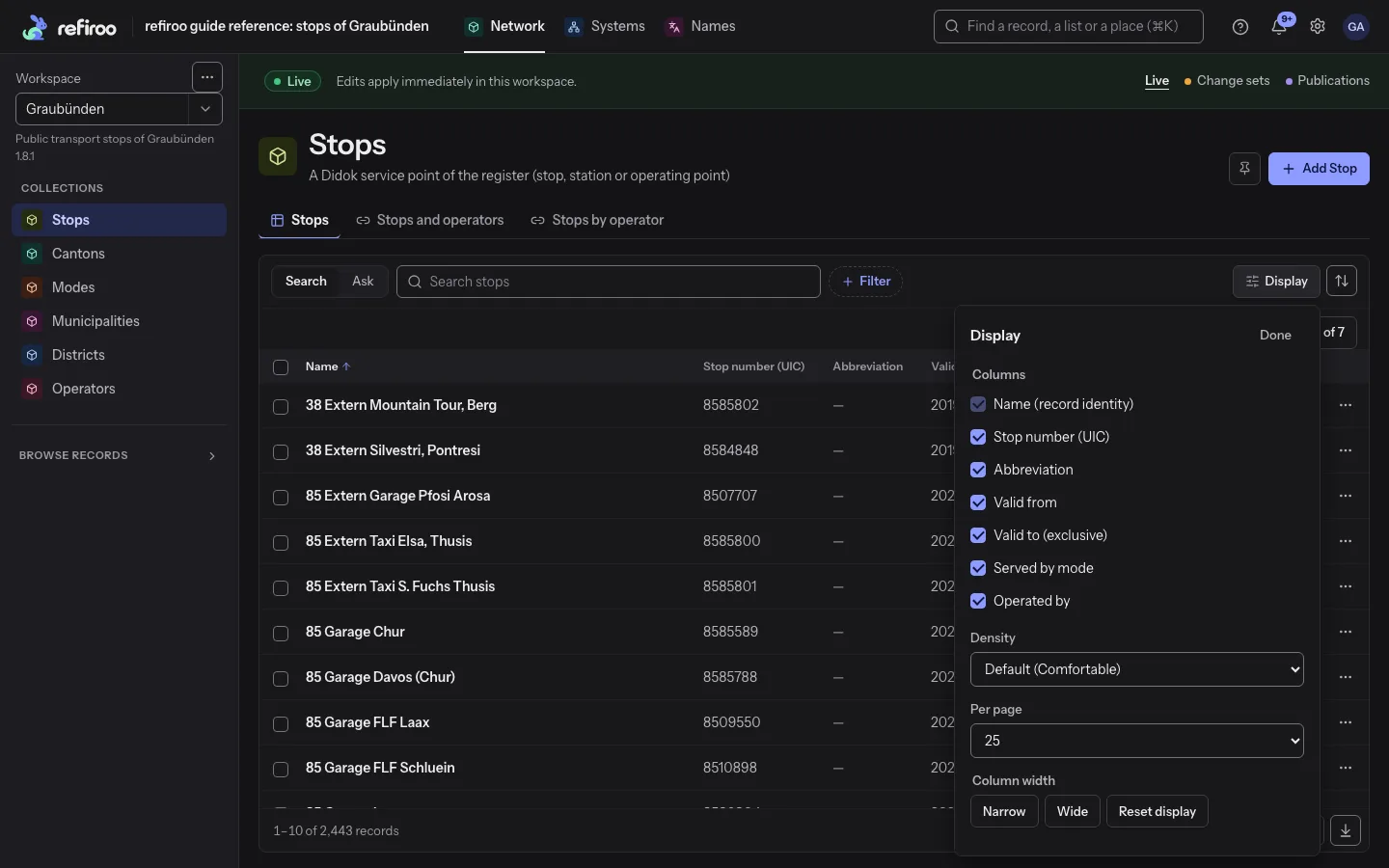
- Display chooses the columns and the density: Default, Comfortable or Compact. The choice stays on this device.
- The address keeps search, filters, sort and position, so Back to list returns where you were.
- The model sets a table's default columns, filters and initial sort.
In the API: per-type lists with typed filters, sort and cursor or position paging; a cross-type lookup; and a model-aware query that selects fields and includes related records.
- 3 / 11
A tree
Categories are a hierarchy, so they are shown as a tree. Moving a record changes its parent. The records below it move with it, and it keeps its identity and history.
Move a record by menu, keyboard or drag and drop, by mouse or by touch, including to the top level. Invalid destinations are shown with the reason.
In the sidebar tree, select several records and drag them to a new parent together. One confirmation moves all of them or none.
- The model decides which types may contain which. A move that breaks that rule, or would make a record its own ancestor, is refused.
- In a change set a tree can change a record's type, insert a level or remove one. A preview lists every affected record first.
- What a new type has no place for is kept in history and offered back later.
- Search in the sidebar tree lists matching records of every type with their paths.
- One restructuring covers at most 500 records. A larger subtree is refused with its limit.
In the API: GET /objects/{type}/{id}/parent-candidates lists where a record could move, and a query can filter by an ancestor at any depth.
- 4 / 11
A mapping grid
A mapping grid lines up each source value with the record it means. The ERP calls Arabica 1 kg 100245, the webshop cof-arabica-1kg and the warehouse WH-CF-01. Each keeps its own spelling and all point at one product.
Each row shows a source record, its state and its targets. The state is unmapped, mapped (one target) or ambiguous (more than one). Filters and counts cover the whole list.
Choose, replace or clear a value's target in one action, with search over the candidates.
- Ambiguous means several stored connections. It is not an uncertain match, and it can be valid.
- Change replaces all connected targets with the one chosen. Remove mapping clears the connection and deletes neither record.
- If someone changed the mapping meanwhile, Mapping conflict shows the current mapping and nothing is overwritten.
- In Live a saved mapping applies at once. In a change set it stays proposed until publication.
- With an AI provider set, Propose targets fills unmapped rows in a change set, marked Proposed with a confidence and a reason.
In the API: mapping-coverage, mapping-candidates and mapping-targets read a declared mapping view, and the workspace edge list (/relations) lists every edge of any relation type.
- 5 / 11
A relation matrix
Which products are sold in which markets? Put products in rows and markets in columns. Each cell shows the row's related records under that column. Languages, systems or any other type the model defines can be columns.
Each cell is current, missing, inactive or kept only in history. Filter to the gaps across the whole list.
Create, correct, link or unlink from a cell. A matrix does not create missing records by itself.
- Six cell states: One, Several, Inactive, History only, None and Conflict. Not all apply to every matrix.
- History only refers to an earlier publication. It is read-only, and Create from this prepares a new record from it.
- A state filter finds rows with that state in at least one chosen column, including rows not yet scrolled into view. Up to 20 columns show at once.
- A model-defined condition, such as a Yes/No field, can decide whether a related record counts.
- The model editor has a form to add a matrix. It offers only structures that fit.
In the API: GET /workspaces/{key}/relation-matrix reads a declared matrix in live data, a change set or a publication; its containers and link-candidates routes serve writes from a cell.
- 6 / 11
An API
The same records come out of the API as plain JSON, with codes, markets and translations attached. Every view above is a client of it, and your scripts can be too.
- 7 / 11
1D: a list
One dimension is a list: values, one after another. Product names in a single row is the simplest thing refiroo holds, and often all a consumer needs.
- 8 / 11
2D: a grid
Add a second dimension and the codes fall into columns: products down, systems across. Each cell is one fact, and each system finds its own.
- 9 / 11
3D: a cube
A third dimension turns the grid into a cube: products by markets by languages. How is this product called in French, for Spain? One cell, stored once. Keep scrolling to turn it.
- 10 / 11
4D: a fourth axis
A fourth axis cannot be drawn, only projected. This shadow of a tesseract turns through it: the same cube, seen from a place where its inside and outside swap.
- 11 / 11
The same records at a past date
A record type can declare a business validity period over two date fields. The start is inclusive, the end exclusive, and either may be empty. Reads can then ask for the records valid on a date (asOf).
asOf is a filter over values, not history. It does not rewind edits. It combines with live data, a change set or a publication.
Past states are kept by other means. Every publication is a read-only snapshot you can browse, and a record's history keeps each change.
- A write whose end is not after its start is refused (INVALID_EFFECTIVE_PERIOD).
- Periods of different records may overlap, so one date can match several records.
- A type with no declared period refuses asOf (AS_OF_NOT_SUPPORTED). So does the management cross-type lookup.
- Consumer API reads that take asOf: XREF, get by ID, lists and batch resolve. Answers name the dated types.
- In the browser, only an export offers Valid on. Ordinary lists have no business-date filter.
In the API: asOf=YYYY-MM-DD on per-type lists, the model-aware query and exports, and on the consumer API's lookup, get by ID, lists and batch resolve.
Model
Record types and how they relate.
Table
A row per product.
Tree
Categories with products under them.
Mapping
One column per system.
Matrix
Products against markets.
API
The same records as JSON.
{ "name": "Arabica 1 kg",
  "erp": "100245",
"webshop": "cof-arabica-1kg" }List (1D)
Values in a row.
Grid and cube (2D, 3D)
Products by systems, then by markets and languages.
Time (4D)
Every version is kept; read the data as of any date.
In the app
Your records have their shape; now give the table a little breathing room.
At a glance
Views in four facts
What you do in the browser, what the API offers, who may do it and what it works with.
- Your views
- You can open whichever table, tree, mapping grid or relation matrix your model gives a collection, then search, filter, sort, move, map and fill cells there.
- Your API
- You can read per-type lists, cross-type lookups, model-aware queries, workspace relationships, mappings, matrices and read-only consumer APIs, with asOf on supported reads.
- Your people
- You can give someone browsing access, let them prepare change sets or edit live data too, and trust someone with model authoring to choose the views.
- Works with
- Mapping saves a grid's targets live or in a change set, and its Propose targets asks your AI provider for the unmapped rows; Translations' languages can be the columns of a matrix; Change sets prepare restructures and mappings for publication; the API's consumer API reads by asOf date.