Approval policies
A workspace’s approval policy controls publication of change sets. Open Settings › Workspaces, select the workspace and choose Approval. You need Workspace administration to change this policy. Granting an approver’s role instead needs Security administration.
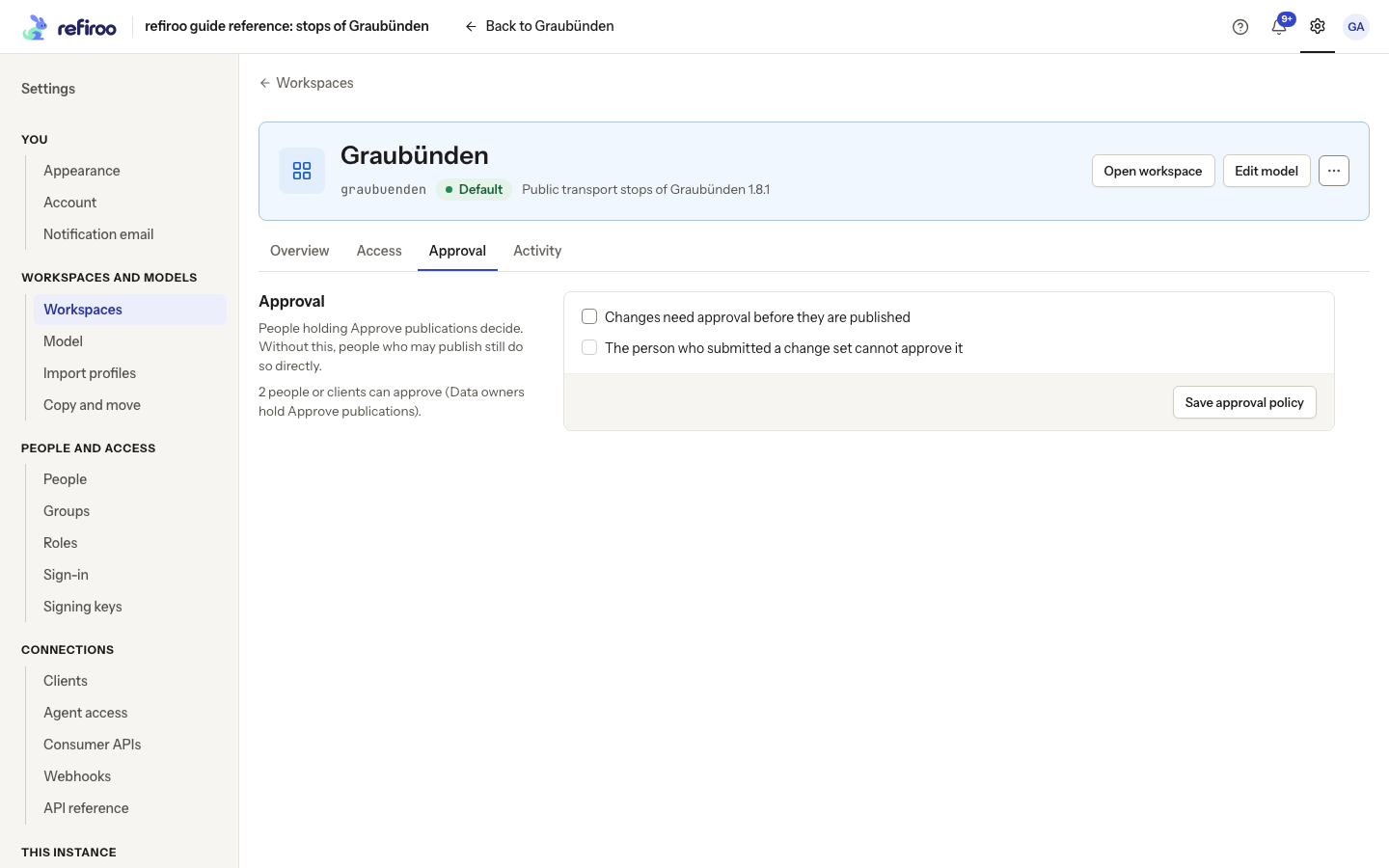
Above: Graubünden requires approval. The second-person rule is off and two people or clients can approve, including fictional Rita Approver.
The two settings
Section titled “The two settings”| Setting | Effect |
|---|---|
| Changes need approval before they are published | People submit change sets for someone with Approve publications to decide. A publisher who may approve their own work can still publish in one step when the second-person rule is off. |
| The person who submitted a change set cannot approve it | A different authorised approver must decide, even if the submitter has approval permission. Available only when approval is required. |
When approval is not required, people with Publish can publish directly. A Contributor still cannot publish: they can submit proposed work to an approver. The policy does not give anyone a role and does not prevent people with Edit live from editing Live directly. If all data edits must pass through review, review those grants as well.
Who can approve
Section titled “Who can approve”Approve publications is the action group needed to decide a request. The predefined Data owner role holds it; a custom role can hold it too. Data steward can publish but does not hold Approve publications. A qualifying client can also approve through its integration.
The page counts the people or clients able to approve. With none, a warning explains that requests wait until someone is granted approval rights. With a second person required and only one approver, that approver’s own submissions wait for someone else. These warnings do not block saving the policy, so establish the approvers before requiring their decisions.
Changing checkboxes is not enough: choose Save approval policy and wait for Approval policy saved. If another administrator changed it first, use Reload the policy, review the current values and apply the intended change again.
Follow Set an approval policy. For the steward’s submission, notices, decision and corrections, see Inbox and approvals and Approve a change set.
Submission, decisions and visibility
Section titled “Submission, decisions and visibility”A person with Work in change sets uses Submit for publication after validation passes. Submission freezes the proposal: editing does not silently withdraw the request. Moving the change set to the workspace’s new model release is the exception: it stays submitted and approvers decide it on the moved version. Only its submitter or someone with Approve publications can Withdraw submission to return it to editing. This is different from withdrawing a publication already made.
An approver uses Approve and publish, which applies the change and records the decision together, or Send back with a comment so the author can correct it and submit again. With the second-person rule on, the submitter cannot approve their own request even if they hold Data owner. Holding multiple roles does not make one person two reviewers.
Approvers see work awaiting their decision on Home and in their notices. Submitters receive the outcome. Browse and workspace access still govern what data a viewer can inspect; the approval policy does not open a workspace to everybody. A changed permission or invalid proposal can refuse a decision, so read the reason rather than assuming a waiting request is ready to publish.
Changes prepared by an assistant
Section titled “Changes prepared by an assistant”An assistant cannot approve or publish. A person reviews its proposed records and relationships and takes the normal publication steps. Under the second-person rule, the person who asked the assistant to prepare and submit the change cannot also decide it; using an assistant does not provide a second reviewer.
A built-in assistant’s move of only part of a type uses a change set and follows this approval policy. A whole type becoming another is confirmed as a migration by someone holding Model release; it does not go through a change-set approval. Review the proposal and migration preview before confirming. See Model changes with the assistant.
Read AI settings and access for the built-in assistant’s permissions, data sent, costs and retained files, and Agent access for external assistants.
Change a policy while work is waiting
Section titled “Change a policy while work is waiting”Both settings are off until a workspace has an approval policy. A saved change is used for subsequent decisions and publications, including work already submitted. It does not publish, send back or withdraw a waiting request, and it does not undo an earlier publication. Under the second-person rule, the submitter cannot Send back their own submission either: another person must decide it, or the submitter can withdraw it.
This workspace requires a second person to decide a change set; you submitted this one means another authorised approver must decide. Sending a change set back needs a comment means the approver must explain what needs correcting. This change set is not submitted for publication means there is no waiting request to decide; reload its current state. If the active publication changed during review, reload and review the current workspace before approving again. A refusal records no decision.
To turn the policy off, clear Changes need approval before they are published and choose Save approval policy. This also clears the second-person choice. Existing submission and decision history remains. Workspaces, their policies and that history are preserved through the operator’s instance backup, rather than through an export on this tab.