About, Deployment and Operations
Use these Settings pages to identify the installation and discuss a problem with its operator. This instance › About is available to signed-in people. This instance › Deployment and Operations need Operations, held by the predefined Operator role. Security administrator alone does not provide it.
These pages report information. Deployment settings are changed on the server, and Operations does not restore a backup or restart the service. See Run refiroo for the operator’s tasks.
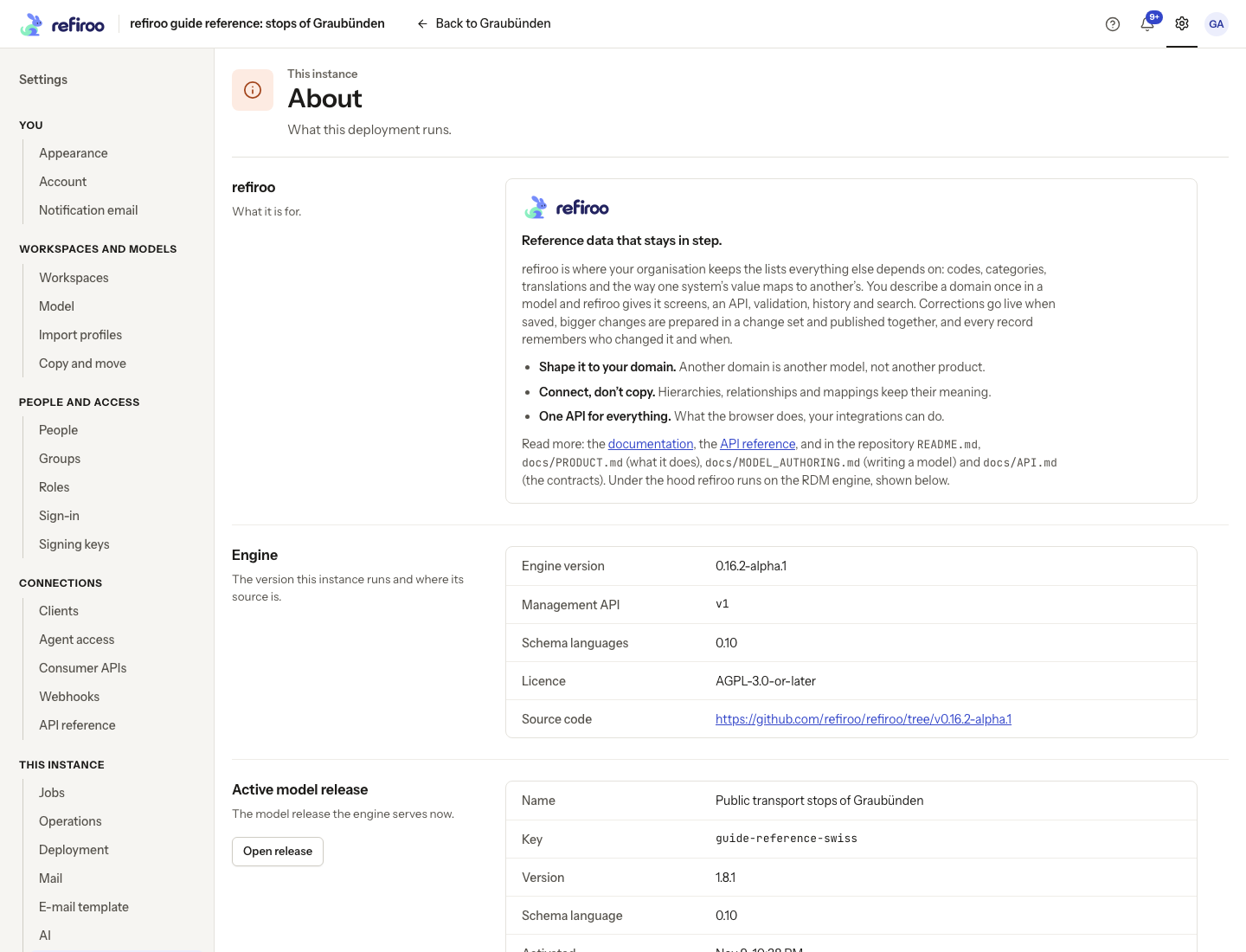
About opens with Reference data that stays in step. Its three points, Shape it to your domain., Connect, don’t copy. and One API for everything., describe models, meaningful connections and the API. It links to its documentation, reference, licence and source code. Engine identifies the installed engine version, Management API version and supported schema languages. Active model release gives the model’s name, key, version, schema language and activation time, with Open release.
The engine version identifies the software. The model release identifies the definitions currently used for the selected workspace. They change independently; a consumer API also has its own contract version. When reporting a problem, give the relevant software and model versions rather than just the application’s name.
Deployment
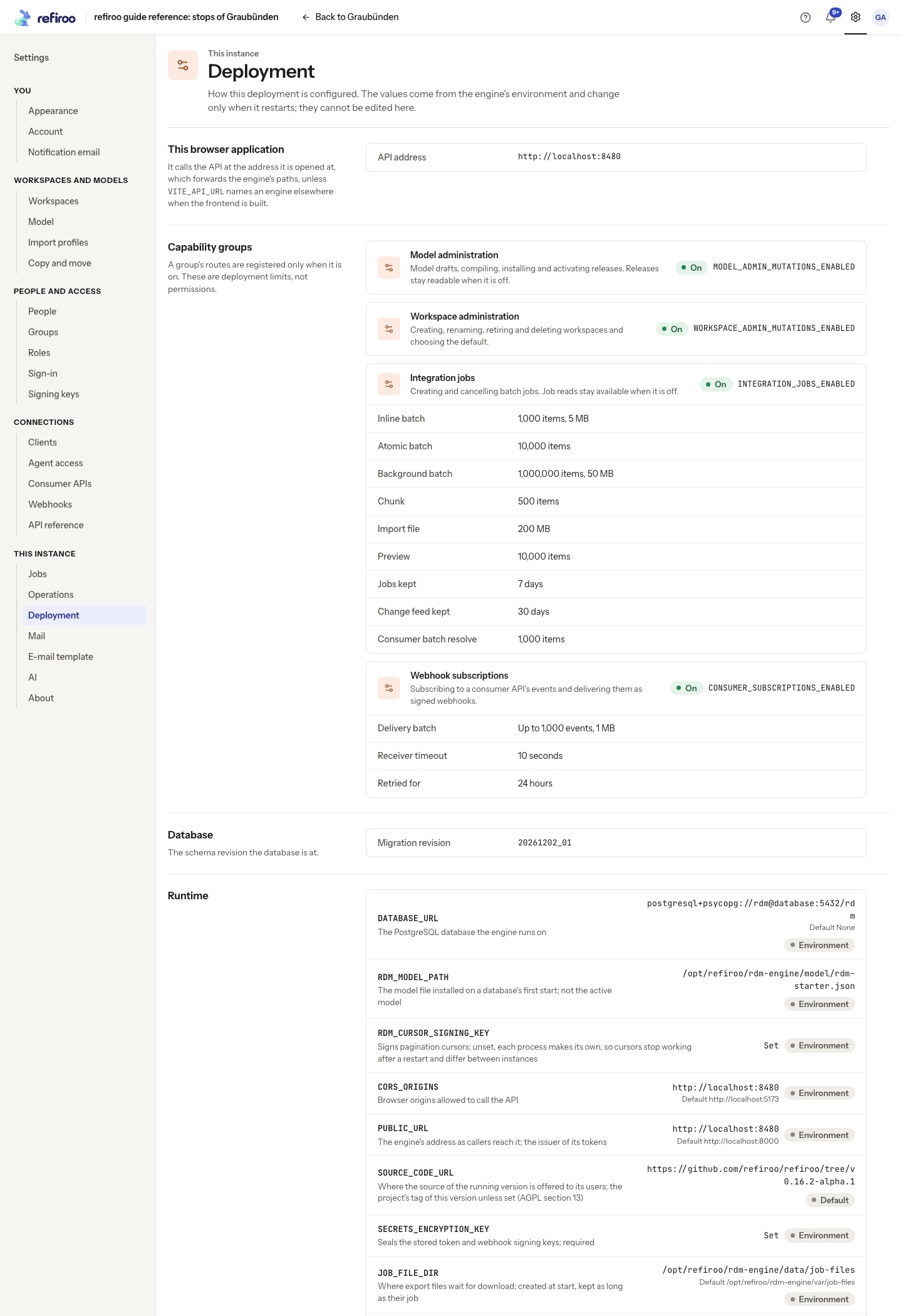
Section titled “Deployment”Deployment shows Capability groups as On or Off, their limits and the setting responsible. A capability being On does not grant permission to use it. A role also cannot turn on a capability that the operator has disabled.
Database shows Migration revision, useful to the operator when checking an upgrade. Each configuration row shows the setting’s name and what it controls, its value and source; the default appears only when the value differs. Source distinguishes Environment from Default. Secrets show only Set or Not set; the page does not reveal their values.
Read the explanation next to a setting before asking for a change. Values come from the running service’s environment and change after a restart; there is no Save control here. A warning that cursors do not survive a restart means the operator needs to configure a stable signing key for collection navigation. Give them the warning text rather than repeatedly retrying an old position.
Operations
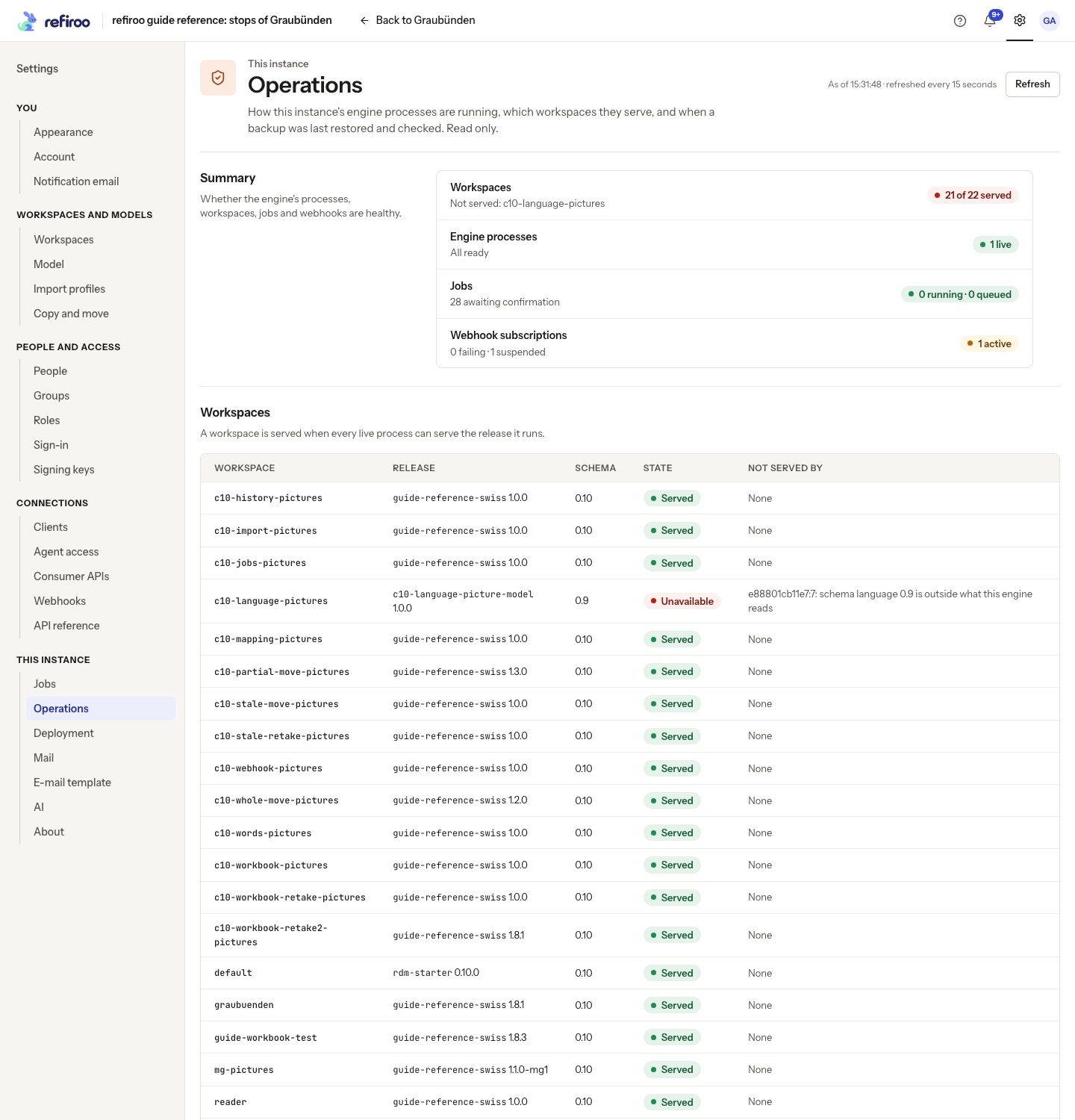
Section titled “Operations”Operations reports the instance’s workspaces, engine processes and the last backup rehearsal. Use Refresh to reread it. It also refreshes every 15 seconds while visible. A refresh failure leaves a warning; do not treat old figures as a fresh health check.
Workspaces shows the release, schema, state and Not served by. A workspace is served when every live engine process can serve its release. If a process cannot do so, ask the operator to investigate the listed process and release before changing access grants.
Engine processes shows each process as it last reported. The answering process is current; another process can be one report behind. Use the reported process and thread state with the operator to investigate stalled mail, jobs or delivery. This page is for observation, not process control.
Last backup rehearsal records a backup restored into a separate database and checked there. It shows the result and workspace checks. No backup has been rehearsed means no rehearsal is recorded, not necessarily that no backup exists. A failed rehearsal needs operator attention. Nothing on this page restores live data.
For monitoring provides copy controls for the monitoring addresses. Give these to the operator setting up monitoring; keep monitoring access on the appropriate private network. Recovery and server commands belong in Run refiroo.
For an access problem, first check the person’s active state and roles and grants. For a service problem, pass the operator the time, selected workspace, visible failure message and versions from About. Never include a password, client secret, signing key or one-time password link.
Earlier checks and unavailable information
Section titled “Earlier checks and unavailable information”Under Last backup rehearsal, Show earlier rehearsals (n) expands older recorded results, with the count shown in the button. Show more reads more; Hide earlier rehearsals folds them away. Give the operator the failed rehearsal’s reason and the affected workspace checks, rather than assuming a newer backup fixes the cause. How to rehearse a restore is operator guidance; use the restore runbook with them.
Could not refresh means Operations could not obtain a fresh reading. Check the reported time before forwarding figures. Use Refresh once the connection is restored. A failure to read Deployment is also different from a capability being Off: retry the read before asking for a configuration change. None of these pages grants permissions or modifies records, so there is no removal or undo procedure on them.