Ask a list in words
Use this to find records by describing the conditions you need. You need a table collection, an enabled AI provider, and Browse and Use AI proposals in the workspace. See Asking a list in words for the supported questions. Your words and the list’s definitions are sent to AI; short related lists can include names. Requests can cost money and their outcome is kept. Read AI and your data before sending sensitive information.
- Open a table collection in the current workspace. Check whether you are reading Live, a change set or a publication: Ask searches that context.
- Choose Ask beside the search box. In Ask in words, describe the records you want, using field and relationship names you recognise. For example, with the reference data: “Stops updated last month with no operator” asks for a Live date condition and a missing relationship.
- Press Enter. Asking… appears with Cancel. Cancel stops waiting for the answer; do not assume it reverses a provider request already sent or its cost.
- When the question is fully expressed, read Your question became these filters. Change or remove any of them. Check the pills and search text against your question. They replace the earlier search and filters. Open a pill to adjust its condition or use × to remove it. The results update as with manually chosen filters.
- If This list cannot answer all of that, so nothing was applied. appears, read each Not possible here: line. Dashed pills under What it could do: are only a proposal. Choose Use these filters if that smaller question is useful, or rewrite the question and press Enter again. To disambiguate a record, use more of its name.
- If an error appears, your words stay and the earlier list remains. Retry after the cause is addressed, or choose Search and set filters yourself. An unavailable Created or Updated condition needs Live; asking from a snapshot cannot supply those times.
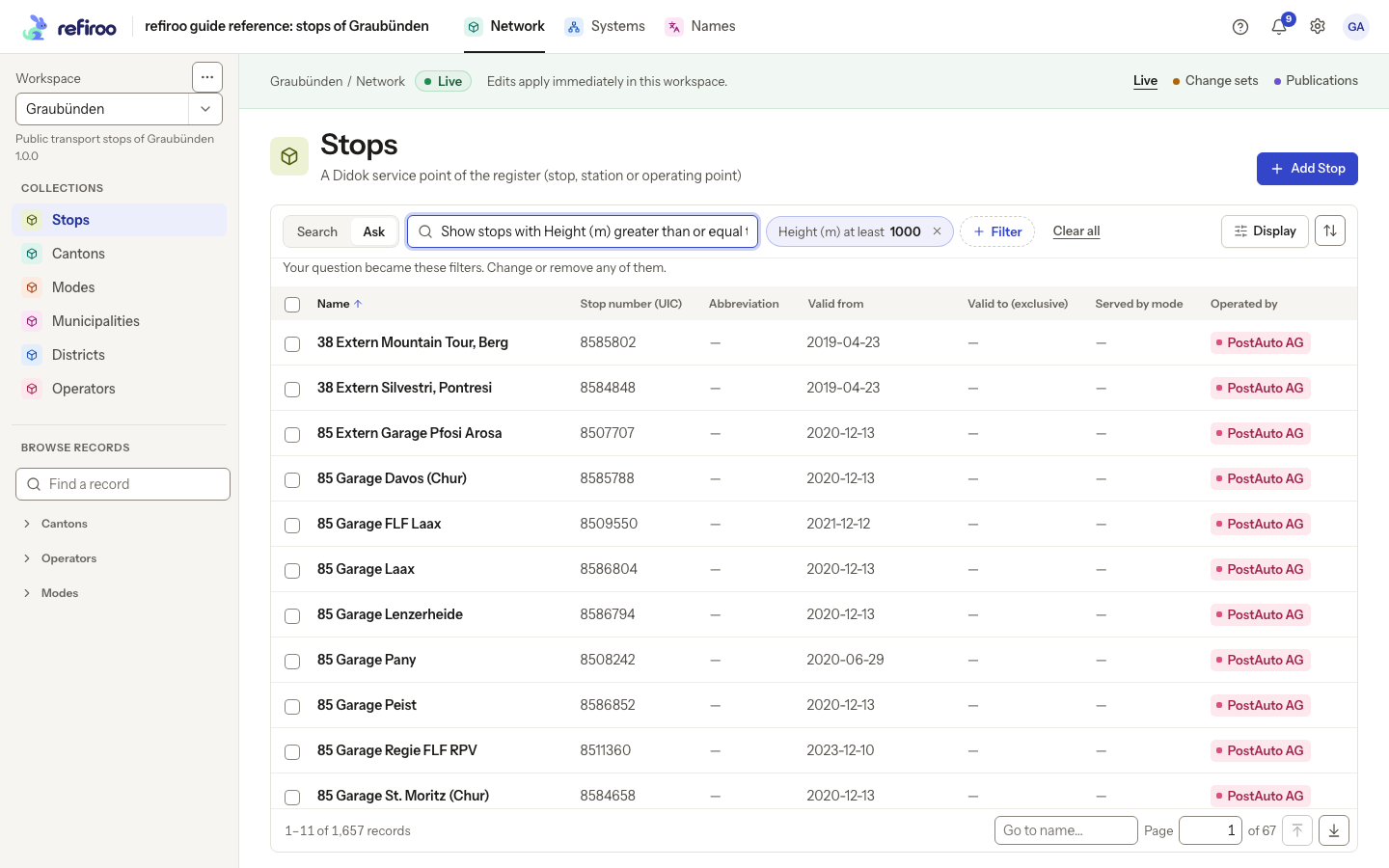
Above: the reference Stops list after a question becomes filters. The pills, rather than the wording of the question, determine which stops are shown.