See a consumer API’s documents
Review the generated documents before asking another team to build a connection. The schema describes the business object’s fields; the message example illustrates that shape; the OpenAPI document describes the offered requests and their responses. Together they show what your consumer declaration produces. See Consumer APIs in the model for how each choice affects the output.
You need access to the model draft to inspect its documents. Editing needs Model authoring. Viewing a document is separate from giving a consuming client permission to read workspace data.
Review the draft’s output
Section titled “Review the draft’s output”- In the model editor, select Consumer APIs, then the API. Check the selected API’s name and Contract version. You are reviewing a draft; its changes are not yet live.
- Open Schema. Compare the field names and types with Fields. Check required and nullable values, the parent and the shape of each related block. A single related record is an object or null; a many-valued relationship is an array. Review the whole object, because Get by ID, list items and lookup results share this shape.
- Open Message example. It shows one object generated from the declared field types, not a record fetched from a workspace. Check that all intended fields and related blocks are present. Do not use the placeholder values as evidence that real records have those values, or that a lookup finds a particular record.
- Use Copy, Download schema.json or Download example.json to share the selected document. Check the API and contract version before handing it over. After any draft edit, inspect the newly generated documents again.
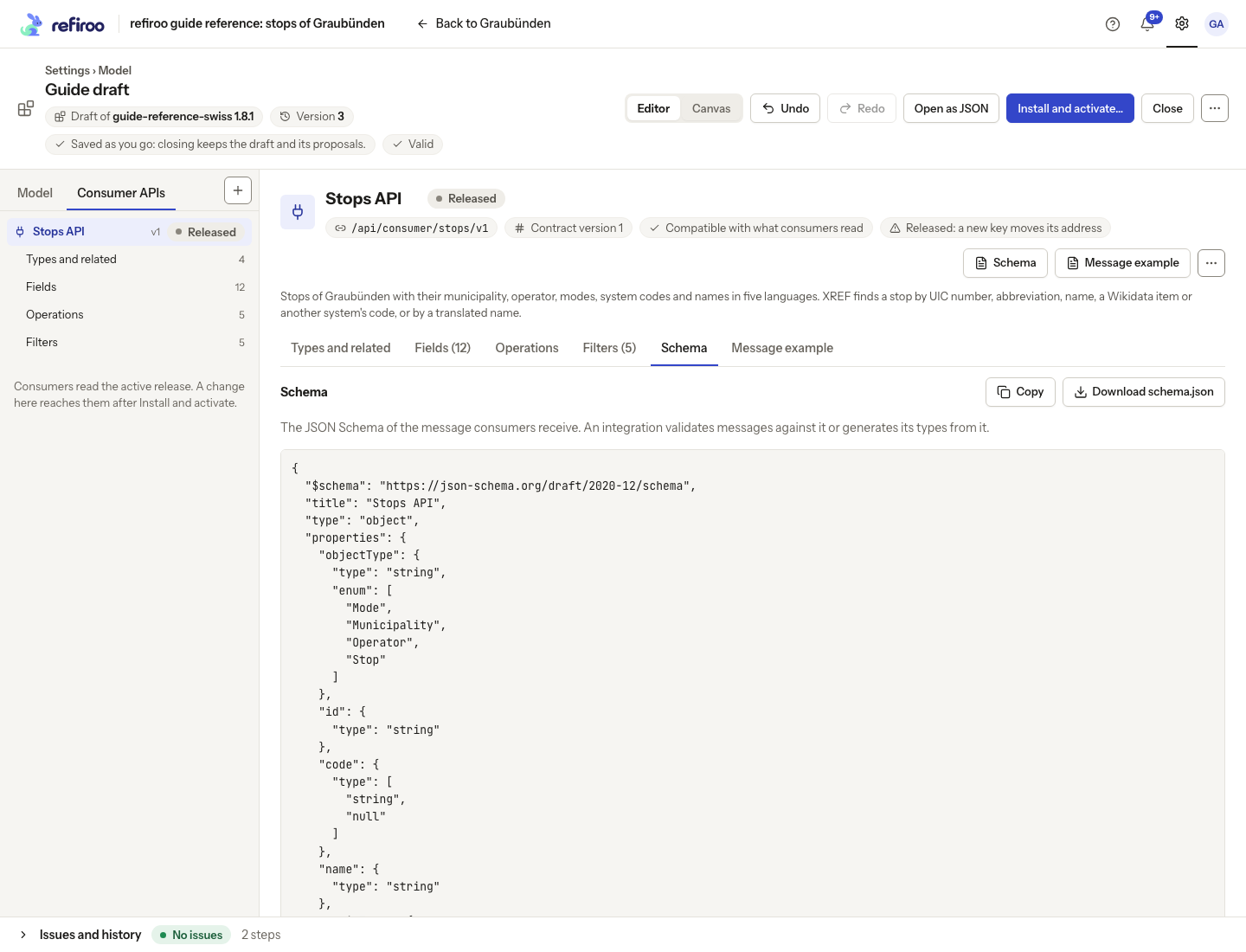
Above: the schema generated for Stops API in the reference model.
Reference-data example: the generated schema describes the stop number as an integer that can be empty. Its public name comes from Output name and its type from the selected source. It also describes operator as one object or empty and modes as a list. These are the shapes consuming teams rely on; ask the integrator to review the detailed document.
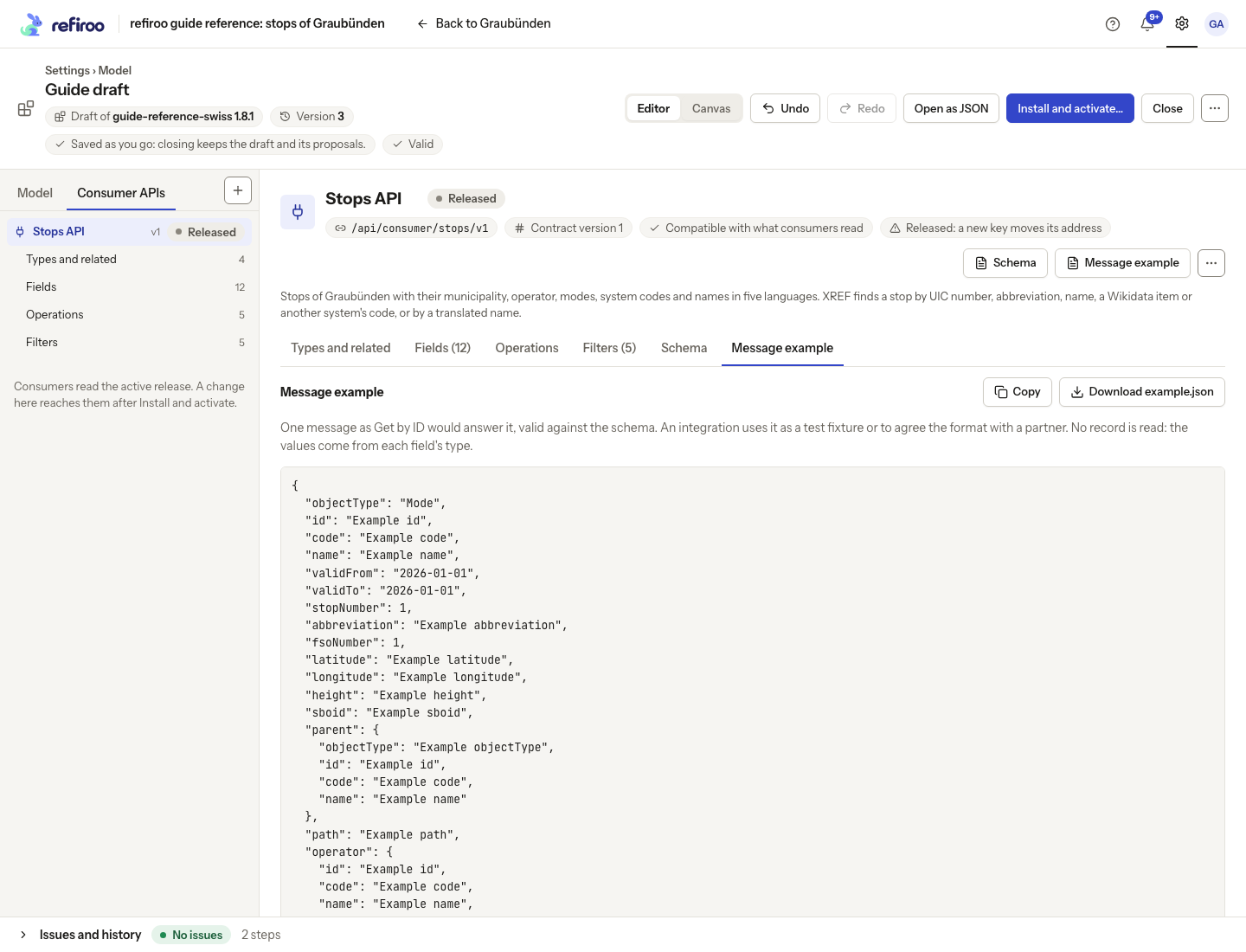
Above: the reference API’s generated example. Its values illustrate types, not live data.
The example uses placeholder values based on field types. They do not prove that a real record exists or has those values. For comparison, the reference stop Chur has stop number 8509000. Use real records as a separate check when agreeing the contract with its consumers.
Review the operations as well as the object
Section titled “Review the operations as well as the object”- Return to Schema and find Against what consumers read now. Read any compatibility diagnostics. Compatible: consumers of version … notice nothing they rely on means this check found no incompatible change; it is not a live connection test.
- Choose download the draft’s OpenAPI beneath the compatibility information. This document includes the operations, parameters and response shapes, rather than just the business object. Share it with the integrator alongside the schema and example.
- Compare the offered operations with Operations and their parameter names with Filters. Check list scope and ordering, lookup rules, events and contract version. An object schema alone cannot tell a consumer which list or filter to use.
- If a change needs a higher contract version, follow Raise a contract version, then download the documents again. Agree the new address and changeover with consuming teams before activation. Raising retains the base release’s previous definition by default. Check Earlier versions on Types and related; a new, unserved API has no previous version to retain. The draft tabs describe the current definition. Give the integrator each served version’s own document for the earlier contract review.
Reference-data example: an integrator checks that Stops API can read a known stop, list stops, look up its identifiers, resolve several inputs and follow the declared changes. The selected fields, related blocks, filters and notifications should match the agreement. Use Consumer APIs for integrators for worked requests and answers. Every organisation’s declaration is its own contract; hand over your generated documents.
Hand over the active contract
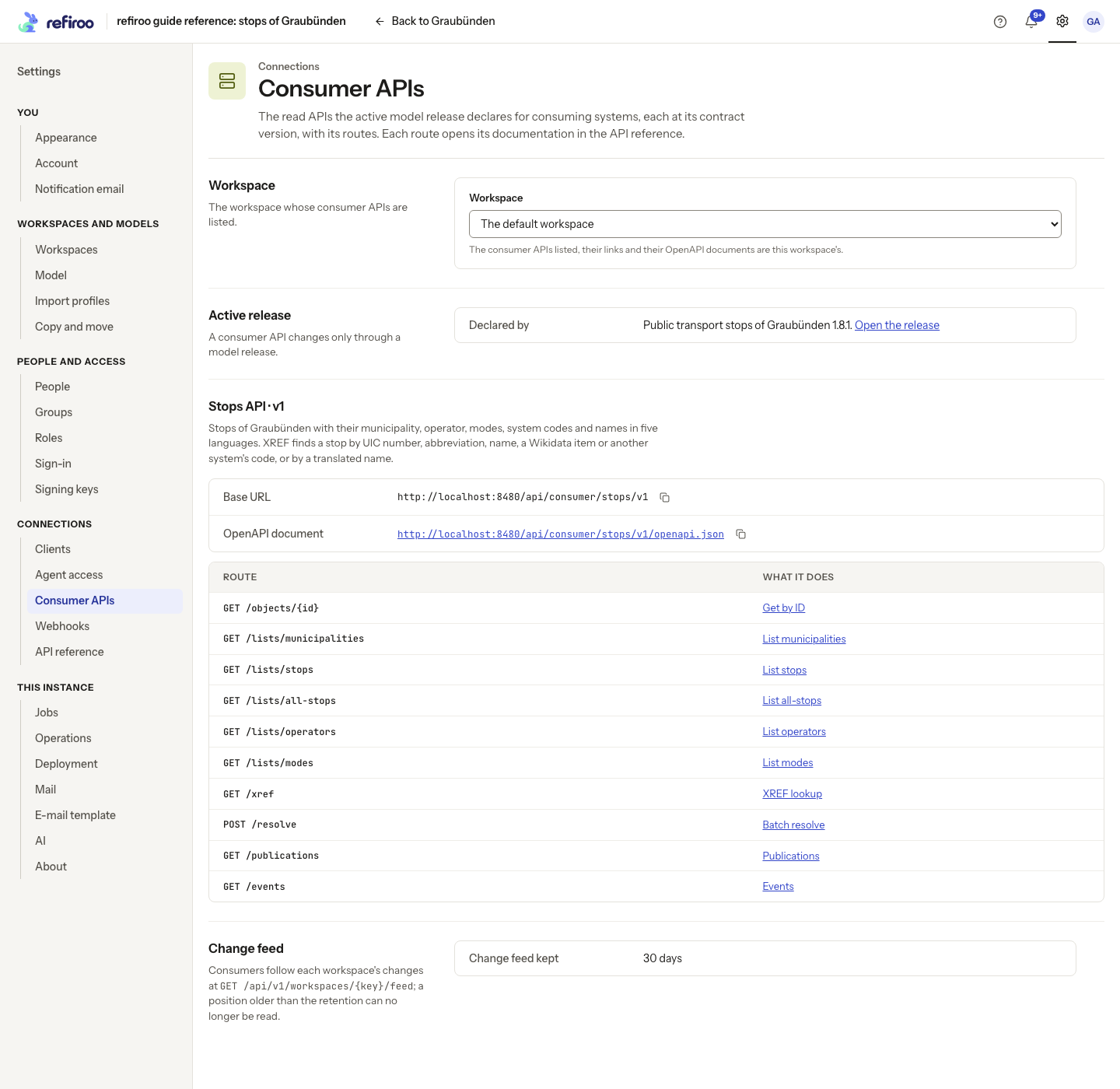
Section titled “Hand over the active contract”- After the release is installed and activated, open Settings › Connections › Consumer APIs. This read-only page names the active release. Use Open the release to check it is the release you intended; it does not provide the draft’s Schema and Message example tabs.
- Find the API’s section and version. Use Base URL and OpenAPI document to copy its addresses or open the document. The Route / What it does table lists its operations; a route description opens that operation in the API reference.
- Give the integrator the active API’s base address and operation document, the workspace they should read, and the agreed contract version. Ask the security administrator to confirm the client has this API’s grant in that workspace. A model release does not create grants, and a role alone does not open consumer data.
Earlier contracts are marked deprecated in their generated operation documents, with the announced sunset day when one is set. Deprecated means still served: the administrator must explicitly stop the version through a model release. Ask the integrator to check the version index and generated documents for each required version. Do not assume an installed older release alone serves that version.
Opening the operation document does not require signing in. Reading data still requires the consuming client’s grant in the intended workspace. Share the addresses using the page’s copy controls; see Consumer APIs for integrators for discovery and authentication.
If a document is unavailable
Section titled “If a document is unavailable”- The draft has issues means the documents cannot be generated. Open Issues, correct the problem or undo the last step, then return to the document. Raising a contract version does not repair an invalid definition.
- A document load error is not a successful review. Read the message, correct the cause if it names a draft problem, then retry. If copying is unavailable, select the text or download the file instead.
- The active release declares no consumer API means the active model has none. Use Open model to inspect its definitions. A draft API is not live merely because its documents can be generated.
- If a live read is refused, check the workspace, API grant and active contract with the integrator. The OpenAPI document itself is readable without signing in; opening it successfully does not prove that the client can read data.
Source for the reference examples: opentransportdata.swiss, Service Points (Didok), Federal Office of Transport / SBB, snapshot 2026-11-02. Wikidata, CC0.