Reshape a hierarchy
Restructuring changes the meaning or levels of a hierarchy. It is available in a change set, where the model permits it. For a parent-only move, use Arrange records in a tree.
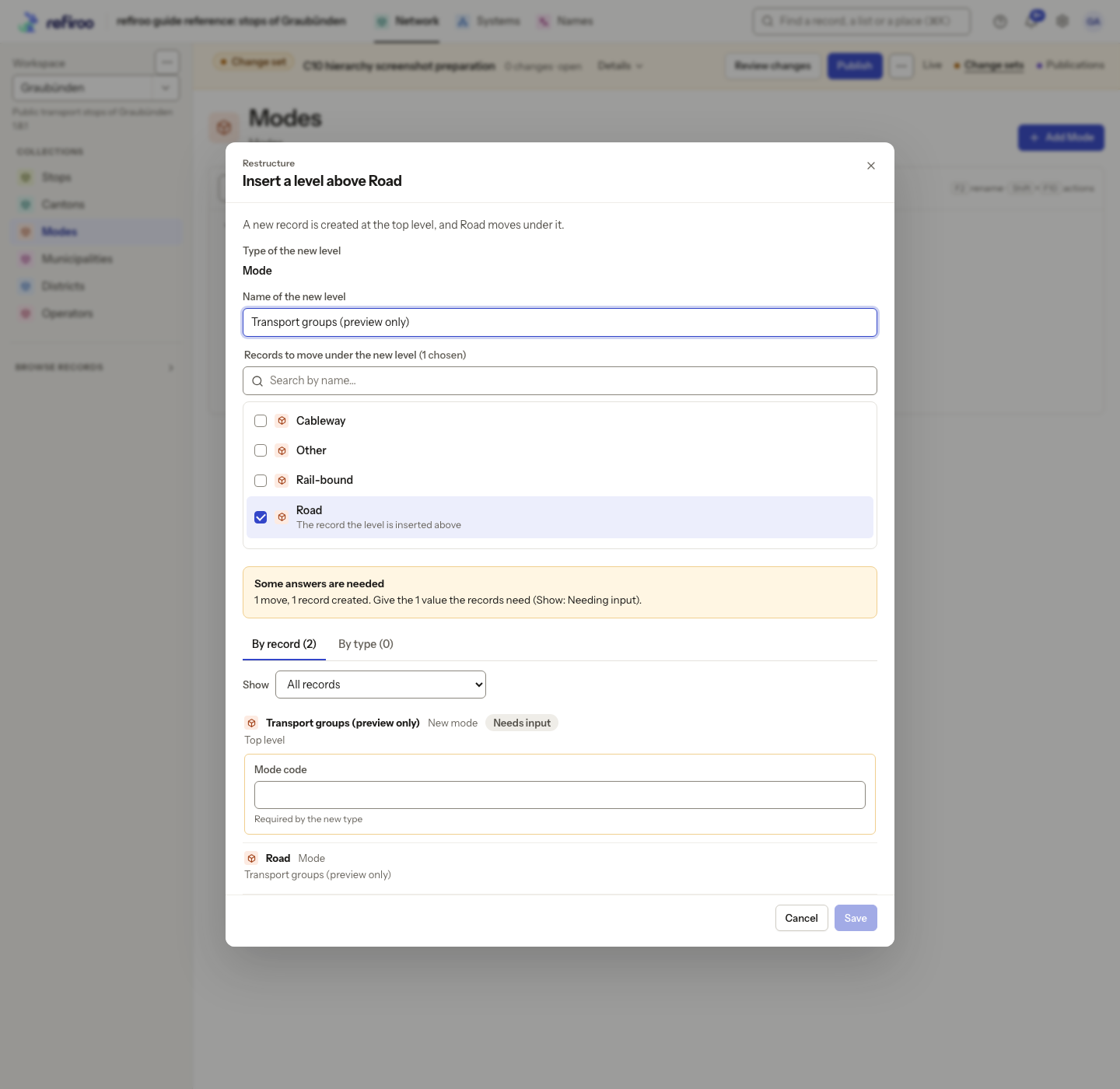
- Open a change set and locate the record in its tree. Open its node menu with its actions button or Shift+F10. Choose the offered Change type…, Insert level above…, Remove this level… or Change type of all … in here…. A move to a Becomes … destination opens the same kind of reviewed restructuring.
- Choose New type, or Type of the new level and Name of the new level, as the selected action requires. Review any records included beneath the level.
- Read the plan’s counts and open By record to inspect the affected records. By type compares their types and fields. Use Show to filter by Needing input, Refused, Changing type, With something left without a place or With something restored to inspect the relevant records.
- Supply values and required connections where the new type needs them. Choose the source of a value where the plan offers alternatives. Values that fail the destination’s rules need input rather than being silently carried over. Something without a place remains in history; it is not an editable field of the new type.
- Resolve all refusals and missing input. Ready to apply means the preview can proceed. Choose Apply to the change set. If The plan changed appears, review its new preview before applying again.
- Choose Review the change set. Inspect changed types, fields and paths, then validate and publish or submit through the usual process. Live retains the earlier structure until publication.
Records keep their identity and history. There is no general Undo for data edits; restructuring can offer compatible values back from effective earlier type changes. It does not restore intentional clears or discarded work. See Hierarchies.