Remove an element
Remove unused definitions in a draft with Model authoring. See Types, attributes and relations for released-element limits.
- Select the element, inspect its uses, then open its operations menu. Choose the specific removal: Remove type, Remove application, an attribute’s Detach from …, or the removal offered for that definition. These actions have different scopes.
- Read the confirmation. Removing a type removes its views, detail page and relationships at either end. Detaching an attribute removes its use in that type’s views and panels. Removing a navigation group leaves its collections available outside the group.
- Cancel if any named effect is unwanted. Otherwise confirm, inspect the remaining model and open Issues for references that now need repair. Use Undo for an unwanted draft step.
- A removal of released structure that stored data uses applies to the draft. History marks it Needs a migration, with the records, values and relationships that hold it. The counts include Live and open change sets in workspaces running this model. With nothing holding the element, the structural step has no migration mark; activation checks stored data again.
- When installing, review Activation needs a migration, then Install … and preview the migration…. Inspect Removed for the records, values and relationships that would be lost. Resolve Must be fixed items first, then explicitly accept the listed loss only if intended. Migrate a workspace explains confirmation. Cancel the review to leave workspace data unchanged.
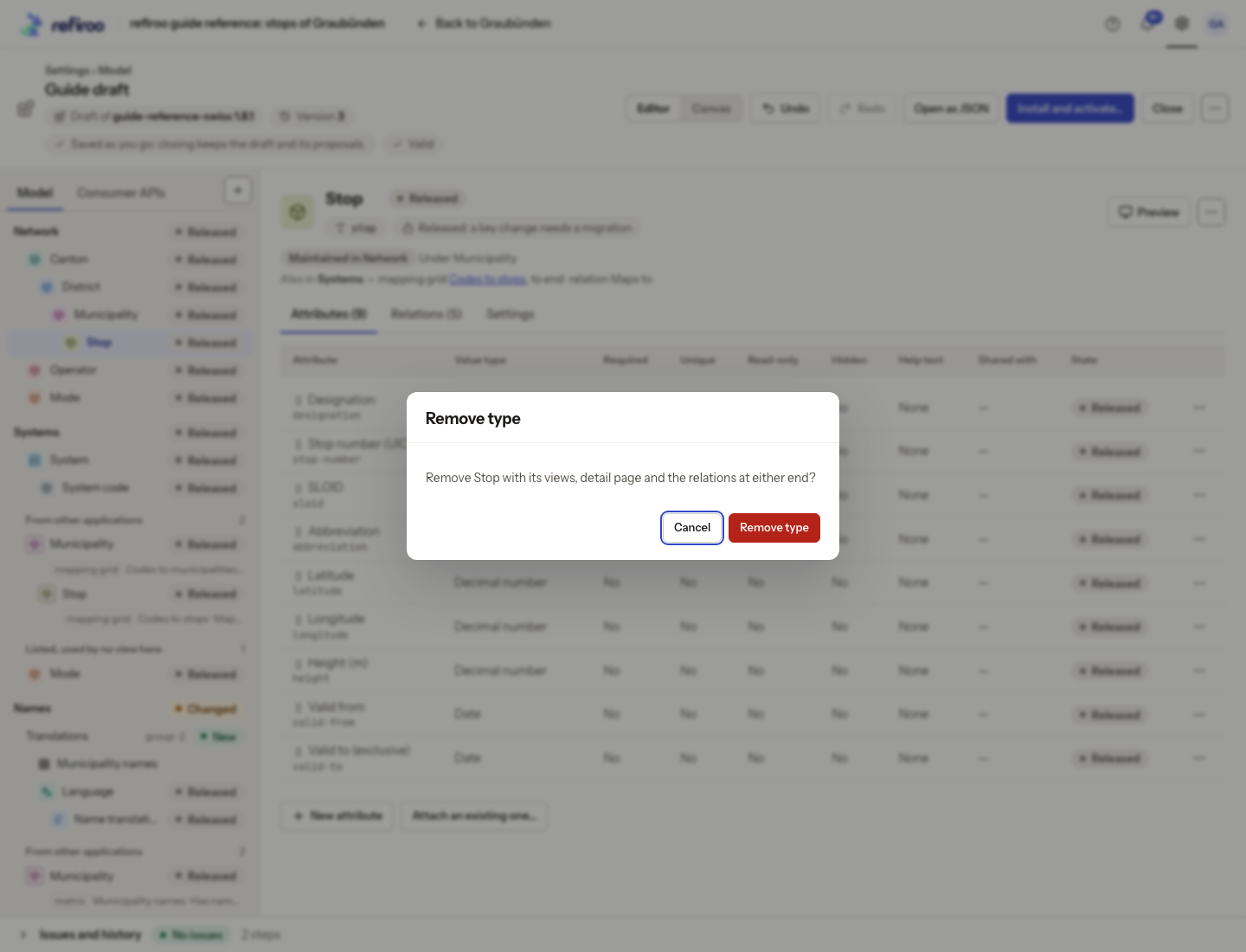
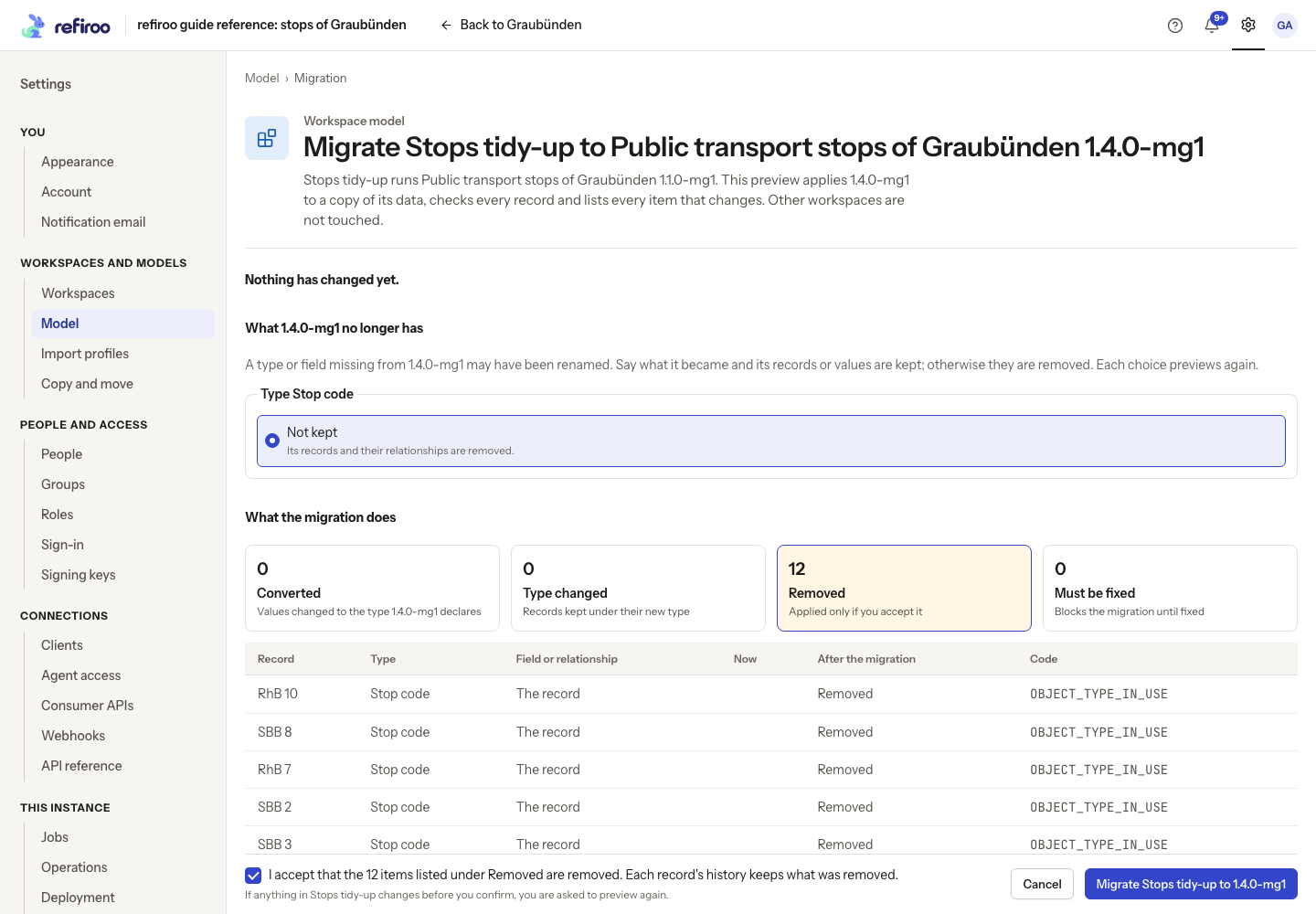
Above: Stop code is Not kept, and Removed lists 12 items. Must be fixed is zero and the loss acceptance is ticked, making Migrate available. The migration has not been confirmed.
To hide a collection in one application, use Stop listing in this application where offered. That is different from removing its type and records. A released listing can also need migration. No removal in a saved draft alone changes the active workspace’s records.