Issues and dry runs
Check a model before applying it. refiroo answers three different questions: are the definitions valid, does the selected workspace’s data fit, and what happens to incoming or moved records? A green result for one question does not answer the others.
Issues in a draft
Section titled “Issues in a draft”Expand Issues and history, then choose Issues. Each issue gives its severity, message and, where available, a link to the affected element. The header also reports the validation state. A draft can be saved while invalid so you can repair it in several steps. It cannot be installed until its blocking model errors are resolved.
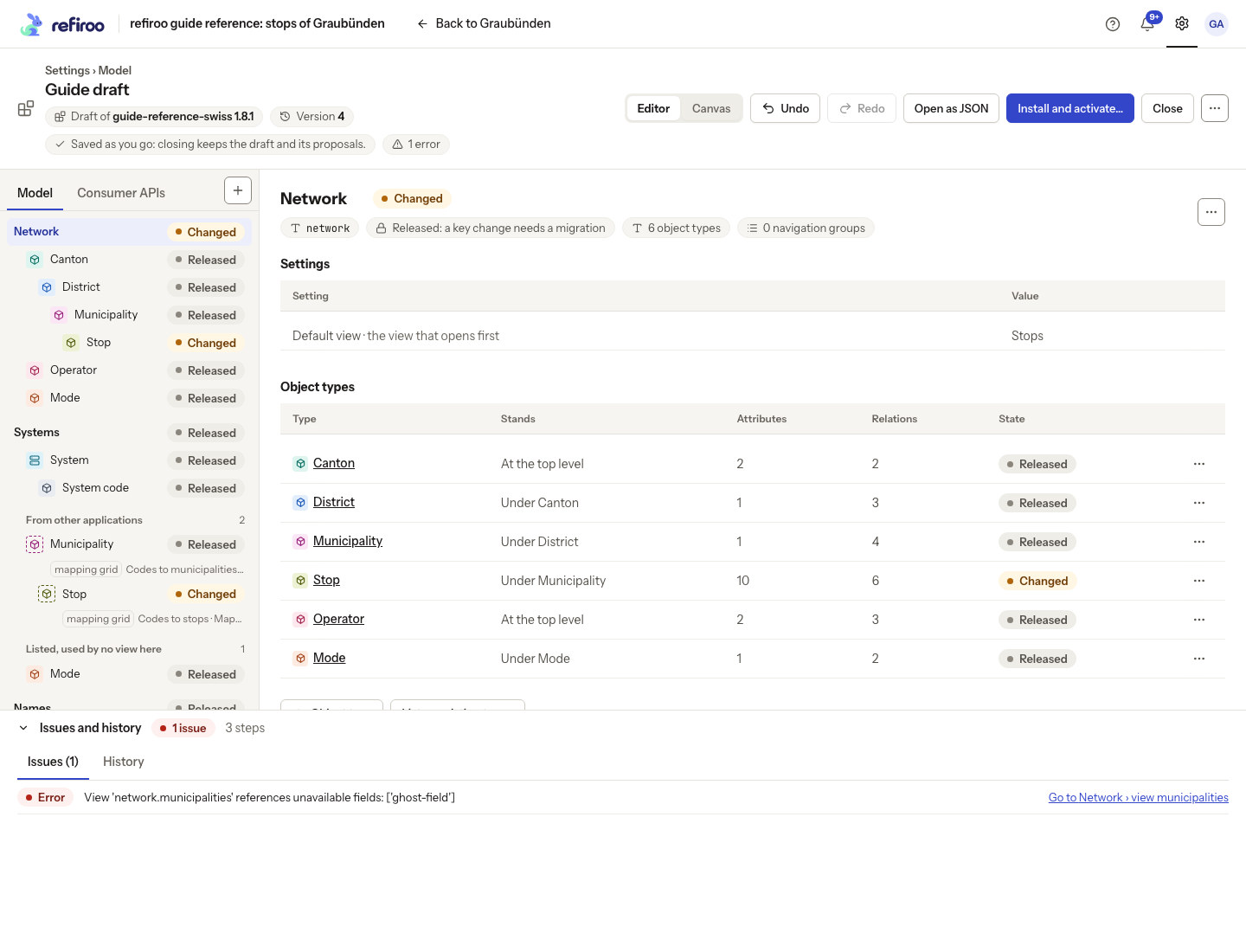
Above: a deliberate error in Guide draft makes the Municipalities view refer to a field that is not available. The issue links to the view, and the header says 1 error.
Read the whole message. A missing field in a view may need removing from the view, or attaching the intended field to its record type. Creating another field simply to silence the message can leave the wrong design in place. Recheck after the correction.
No issues means the draft is valid. With a workbook, the list also includes import-profile warnings and errors. Warnings need review even when they do not block model installation; a valid model can still have refused source rows.
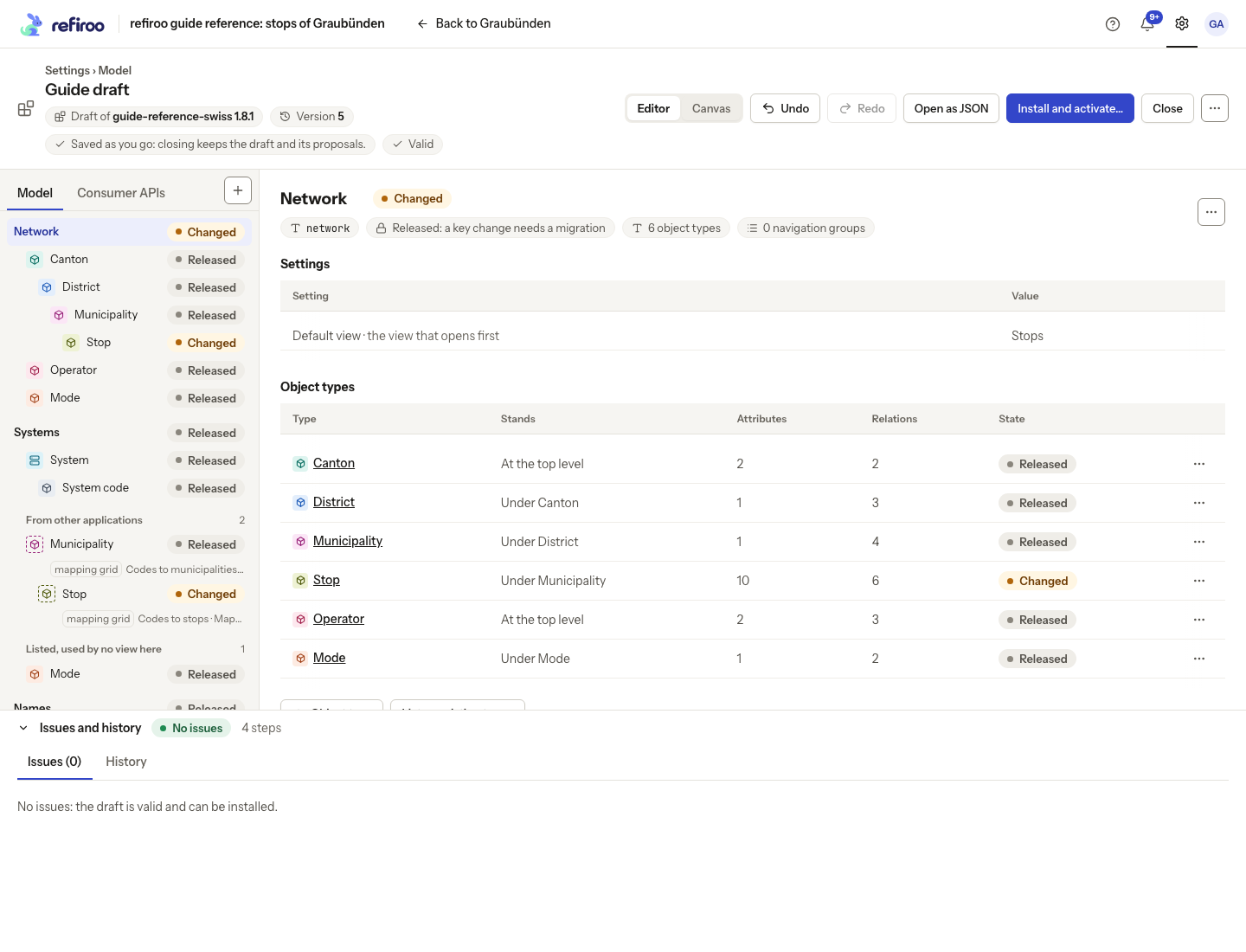
Above: Guide draft is valid again after the faulty view setting was corrected.
Follow Fix issues before installing.
Does stored data fit?
Section titled “Does stored data fit?”Install and activate…, Apply to this workspace… and an installed release’s Activate in a workspace… check the selected workspace’s data. Compatibility means its records, values and relationships fit without migration. It does not copy data from another workspace.
A removed type still holding records, a newly required field with missing values, duplicate values under a uniqueness rule, or too many relationships under a tighter cardinality can prevent a switch. Read the named data and reason. Correct the data under the current model, revise the draft, or use the offered migration preview where records must move. Ordinary activation does not silently convert or discard incompatible records.
Consumer APIs are checked separately. A change that breaks what other systems read needs a higher contract version before activation. Review the listed differences with the people responsible for those systems before using Raise to v…. This is separate from the model release version.
A check reflects the data and versions it read. Another edit or activation can invalidate it; refiroo checks again at the write boundary and can refuse the confirmation.
A workbook’s dry run
Section titled “A workbook’s dry run”With an attached workbook, Dry run checks the whole mapped file against the draft and the comparison workspace without writing records. It identifies the draft version and check time. Figures include records created or updated, values, relationships, related records created and refused rows. Open a figure to inspect the rows and reasons behind it. A was figure compares with the previous result.
Wait for Checked after an edit. Checked means the file was checked, not that every row was accepted. Failed or Stopped is not a completed result. Read the failure and retry; do not rely on a result from an older draft version. A draft without a workbook has no file rows to check. See Workbook onboarding for this flow and its screenshots.
A copy or move dry run
Section titled “A copy or move dry run”Between workspaces with different models, a dry run checks every selected item through a mapping. Its five summary figures count different things:
| Figure | Meaning |
|---|---|
| Create | Records to add in the target. |
| Update (copied before or found) | Target records found again and updated instead of duplicated. |
| Cannot be copied / Cannot move | Records refused or left out. |
| Relationships carried | Relationships that can be represented in the target. |
| Relationships dropped | Relationships refused or left out by the mapping or selection. |
What cannot be copied or What cannot move groups the reasons and lists affected items. A Value not carried can leave a record copied without that field; a refused record is left out entirely. Do not read an item total as a count of records: the report also concerns relationships and values.
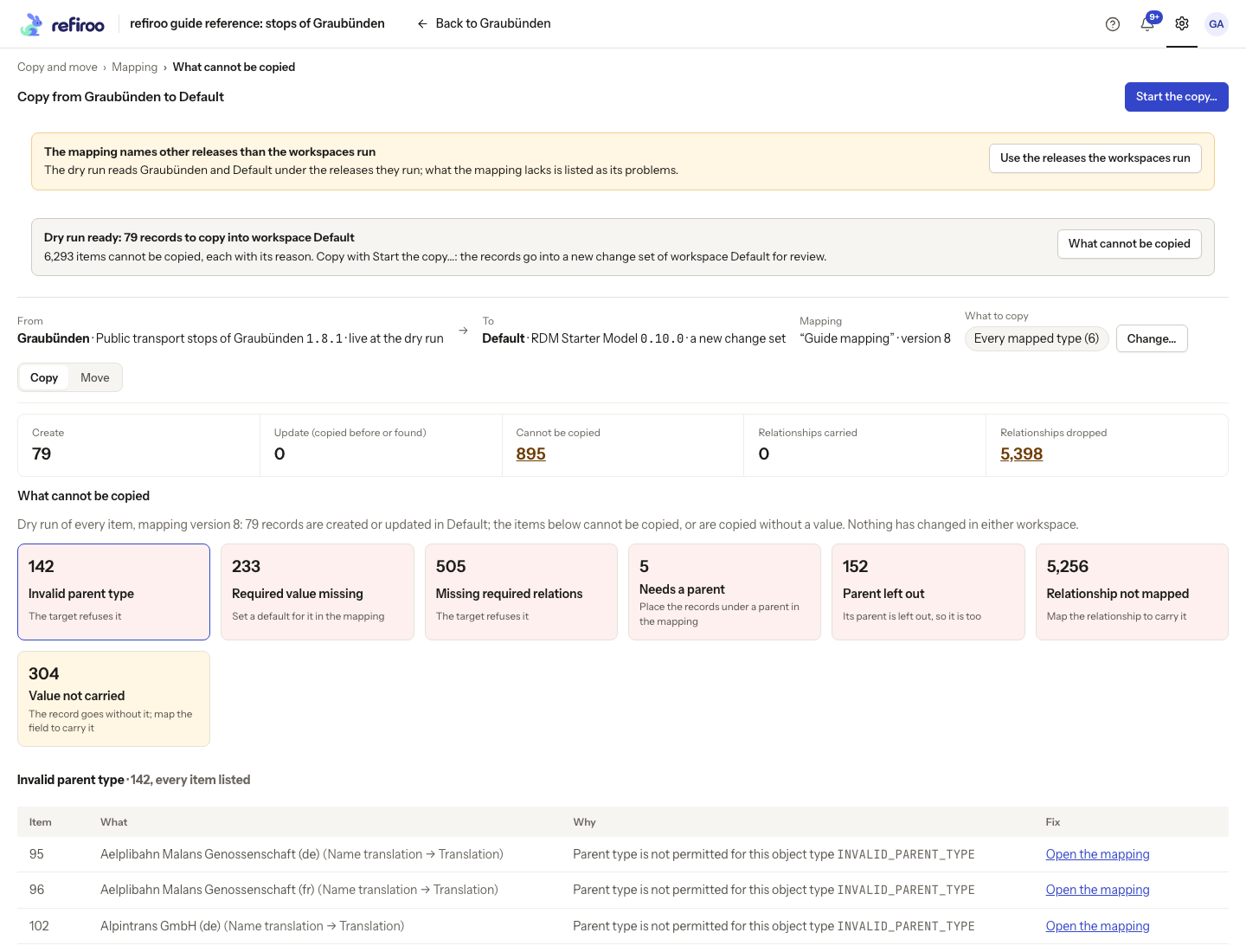
Above: the Graubünden-to-Default dry run predicts 79 records created. Its report includes invalid parents, missing required values and unmapped relationships. Nothing has been copied.
Use Open the mapping on an item to repair the relevant choice. Review a fresh dry run after changing the mapping or selection. See Model mappings for the rules and Move records to another model for the task.
Some issues offer a direct fix, such as Use as the profile’s key or removing a panel naming a removed field. Read what the action changes before choosing it, then recheck the issues. A workbook’s Dry run has separate source tabs; inspect each, including the dialog listing refused sheet rows for its type. The figures’ was values compare with the last check, not with a completed import.