Copy or move records to another workspace
Use a saved mapping prepared for the two workspace models. See Copying and moving records for access, retained identities, omissions and the difference between Copy and Move. For mapping design, ask a model administrator to follow Model mappings.
- Open Settings › Workspaces and models › Copy and move. Check Recent copies and moves for an existing operation before choosing New copy or move….
- Choose From workspace and To workspace. Check their model names and releases. Under Mapping, select the agreed saved mapping. If none fits, stop and have its owner prepare one; A new mapping, proposed is a suggestion requiring design review.
- Choose Open the editor. Select Copy to retain the source, or Move to prepare source deletions as well. Nothing has reached Live in either workspace.
- Beside What to copy or What to move, choose Change…. Choose the intended scope, fill its types, filters or starting record, then choose Dry run this selection. Wait for the check of all selected items.
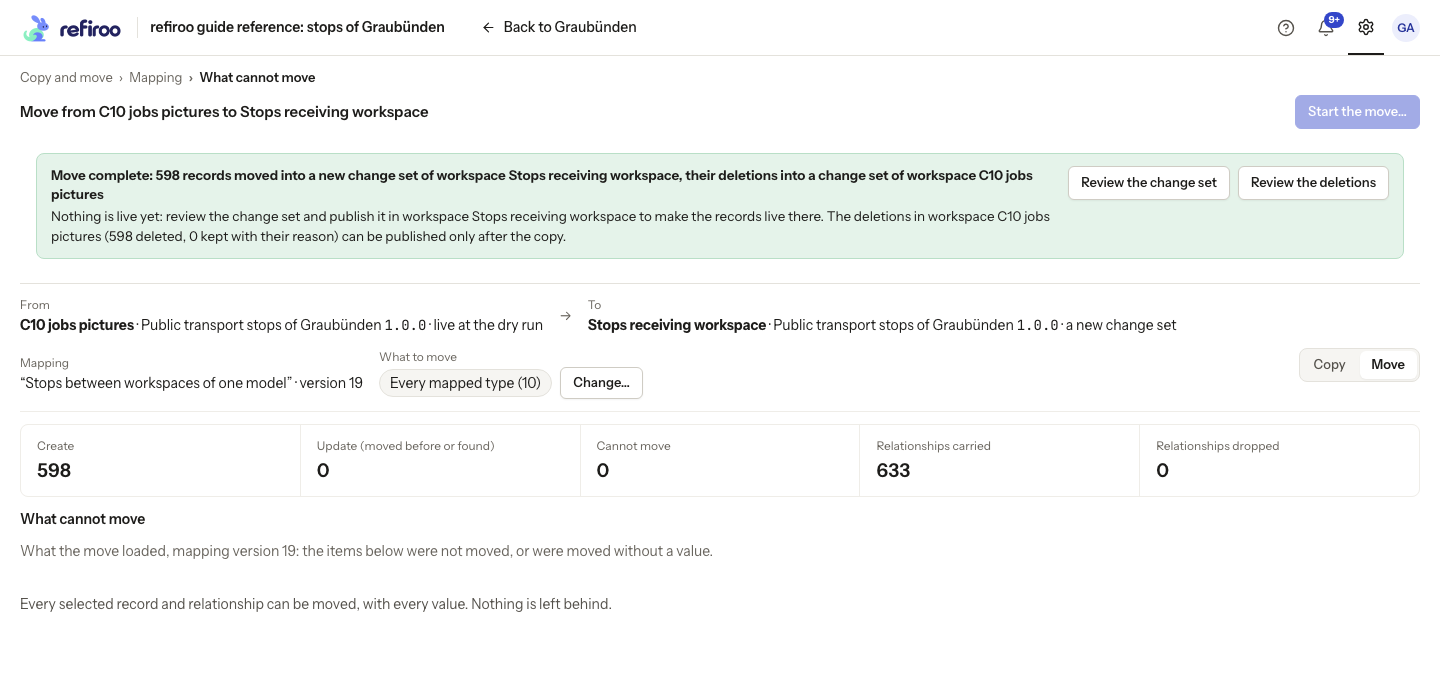
- Inspect creates, updates, omissions, Values not carried and What cannot be copied or What cannot move. Open the reasons and affected records. Ask the mapping owner to correct unexpected losses, required values or placement problems before proceeding.
- Choose Start the copy… or Start the move…. Read the confirmation and enter Name of the change set of workspace … for the destination. Choose Start the copy or Start the move to load the proposal; Cancel keeps the work unstarted.
- Read the actual result and refused or kept records. Choose Review the change set for the destination. Review records and relationships, correct problems, validate, and publish or submit for approval.
- For Move, publish that destination first. Then choose Review the deletions and inspect the source proposal. Check which records were kept and why. Publish or obtain approval there separately. Publishing the copy has not itself deleted the originals.
If the mapping or workspace release changed after the dry run, inspect the current mapping and check again. A refused start is not permission to use the older preview. If the running operation fails, open its job and any produced change sets before repeating it. If no items can transfer, revise the scope or ask the mapping owner to fix the report’s reasons. Closing a running operation’s page leaves it working in the background.