Grant a consumer API to a client
You need Security administration and an existing client. A consumer API grant gives that client access to one API in one workspace. A management role does not open consumer data, and people and groups cannot receive these grants. See Clients.
- Open Settings › Connections › Clients, find the intended system with Search clients and open its row. Check its Client ID and active state; do not grant to a similarly named system by guesswork.
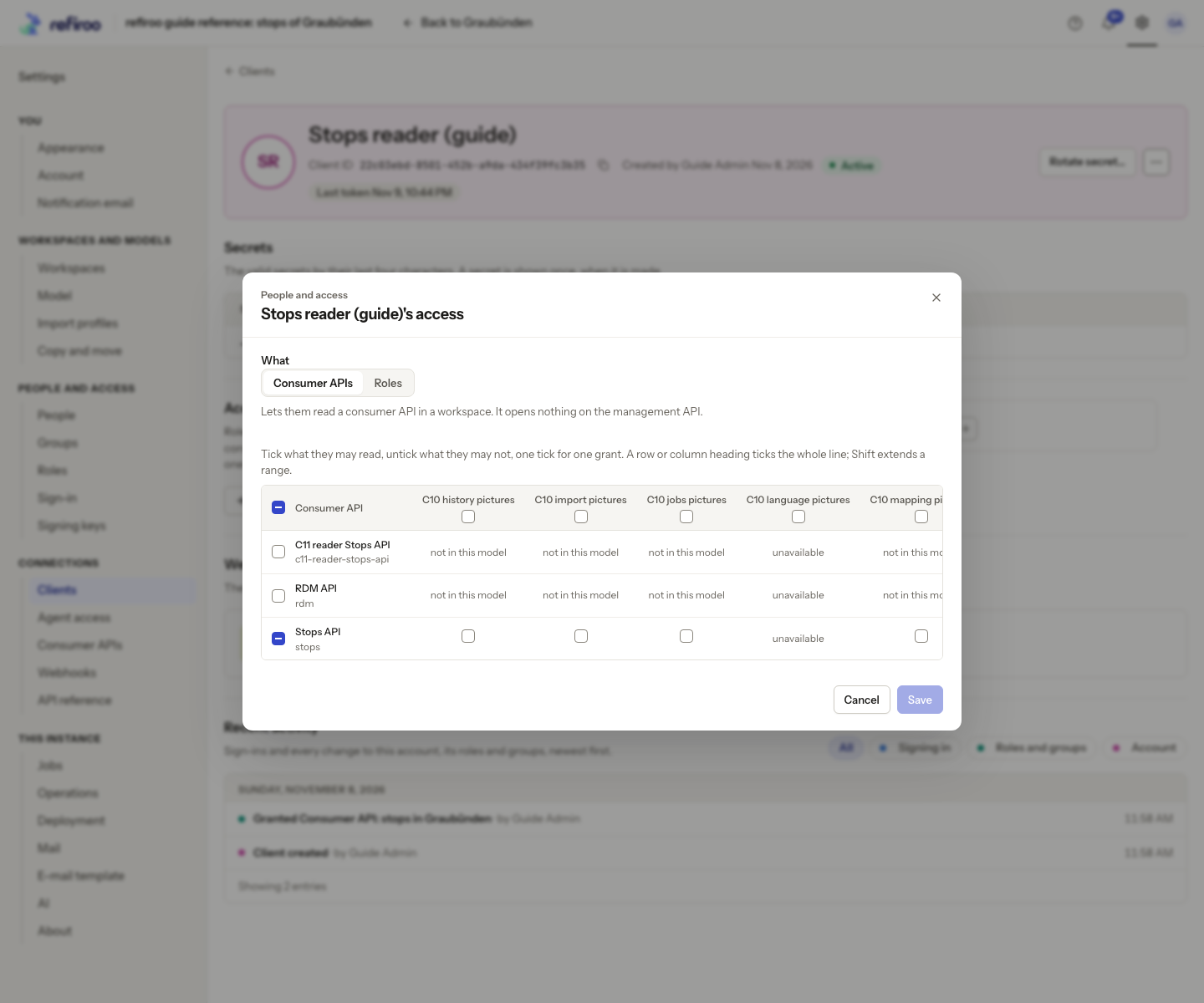
- Under Access, choose Grant. In What, choose Consumer APIs. This is normally the initial choice for a client. Roles is the separate choice for management access.
- In the grid, find the API’s row and the workspace’s column. Tick the intersection. Each tick is a separate grant. A row or column heading selects the whole line; Shift extends a range, so review every selected cell before proceeding.
- A grey tick means already granted. not in this model means the workspace’s model does not declare that API. unavailable means the choices could not be read; reopen the dialog after resolving that load failure. It is not proof that the API is absent.
- Read the sentence describing what the client may read and choose Add grant, or Add N grants for several. If some grants fail, the successful ones remain; the failed choices stay selected with their reasons. Correct those choices and use Try again. Closing does not undo grants already made.
- Check Access for Consumer API: followed by the API’s name and the intended workspace. Give the integration owner the agreed access and point them to The API reference and Consumer APIs pages for connection details.
- Ask the integration owner to verify a new request with that client. Its available consumer API list includes only granted APIs. A grant for another workspace does not carry over, and consumer grants cannot be narrowed to selected record types.
To withdraw access, remove the specific grant from Access and confirm the named removal. Other roles and consumer grants remain. If a later model no longer declares the granted API, review that stale grant and replace it with the intended current declaration; a remembered old name is not permission.