Who changed what
Choose the history view that answers your question. See changes traces data and model work by a person or client. Recent activity on their security page traces account and access events. A workspace’s Activity shows work in that workspace. There is no separate instance-wide audit page in Settings.
Changes by a person or client
Section titled “Changes by a person or client”Open Settings › People and access › People or Settings › Connections › Clients, open the identity’s row and choose More actions › See changes. ← Back on the first line returns to the previous page. You can also follow a person’s name from history where it is offered. The page shows newest first, grouped by day, across the workspaces you may read.
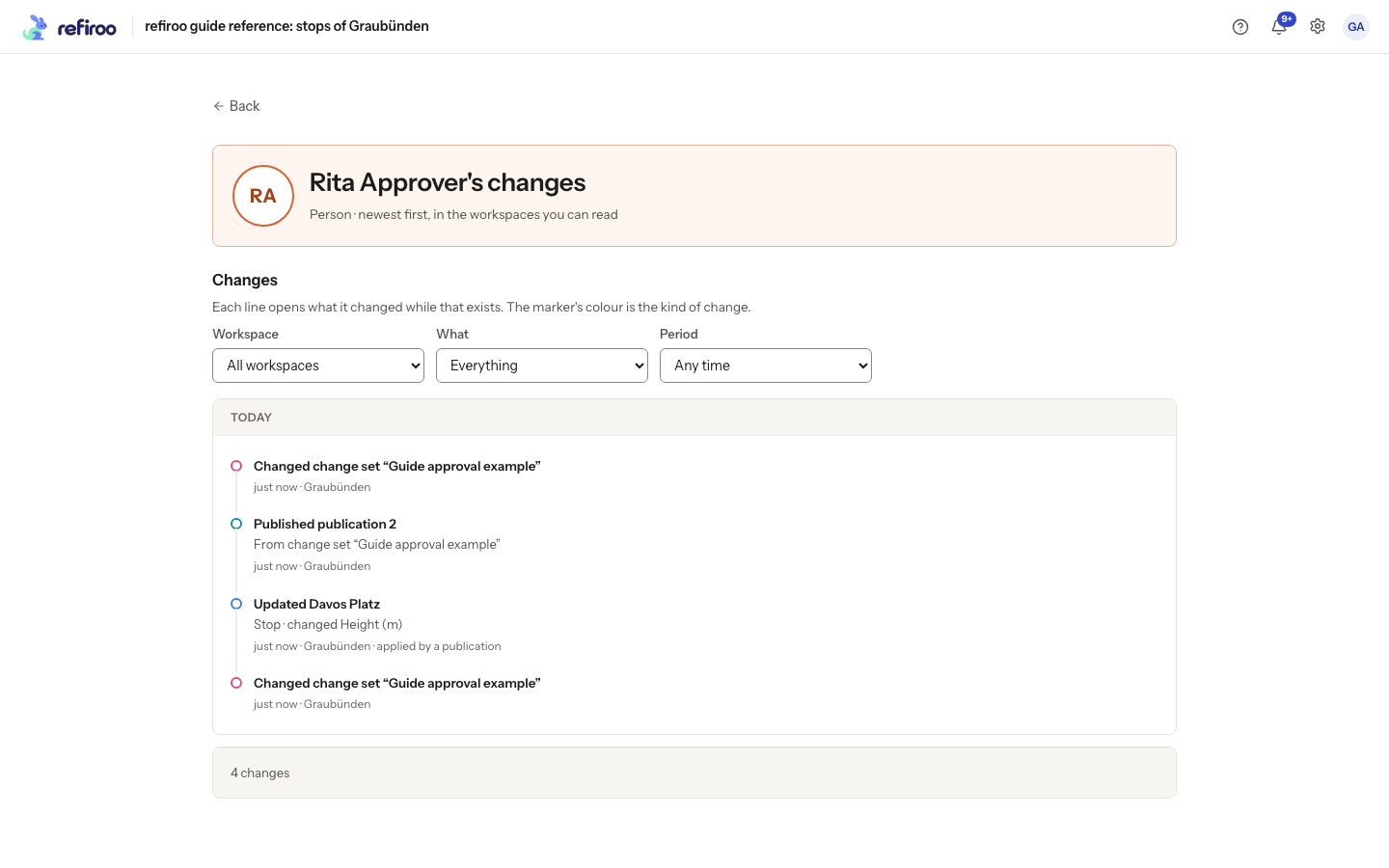
Above: Fictional Rita Approver’s changes are listed newest first, with Workspace, What and Period filters. The visible entries include record edits, a model draft change and a publication.
Filter by Workspace, What and Period. What offers Everything, Records, Relationships, Change sets, Publications and Model. Period offers Any time, Last 24 hours, Last 7 days and Last 30 days. Show more retrieves older results.
An entry names the action, subject, time and workspace, with the change set or cause where relevant. Data changes from a job name its requester. Changes applied by a publication name the publisher. The list summarises which fields changed; open the record’s history to inspect values. Linked titles open their subject where it still exists.
Names reflect the current name of a person or client, including after deactivation. Removed records are identified as removed. Older entries from before sign-in was recorded say Before sign-in rather than inventing an author; engine work is identified separately.
You need Browse in a data entry’s workspace. Model administration entries need Model authoring across the instance. Security administration alone does not give access to data history. An empty result can therefore mean no visible changes, not that the person has done nothing.
Security activity
Section titled “Security activity”On the selected person’s or client’s page, scroll to Recent activity. Its filters are All, Signing in, Roles and groups and Account. The list records security actions involving that identity, the time and who performed the action where known. It includes successful and failed sign-ins, with the originating address where recorded, and changes to people, groups, roles, grants, clients and keys; it does not expose passwords, secrets or password links.
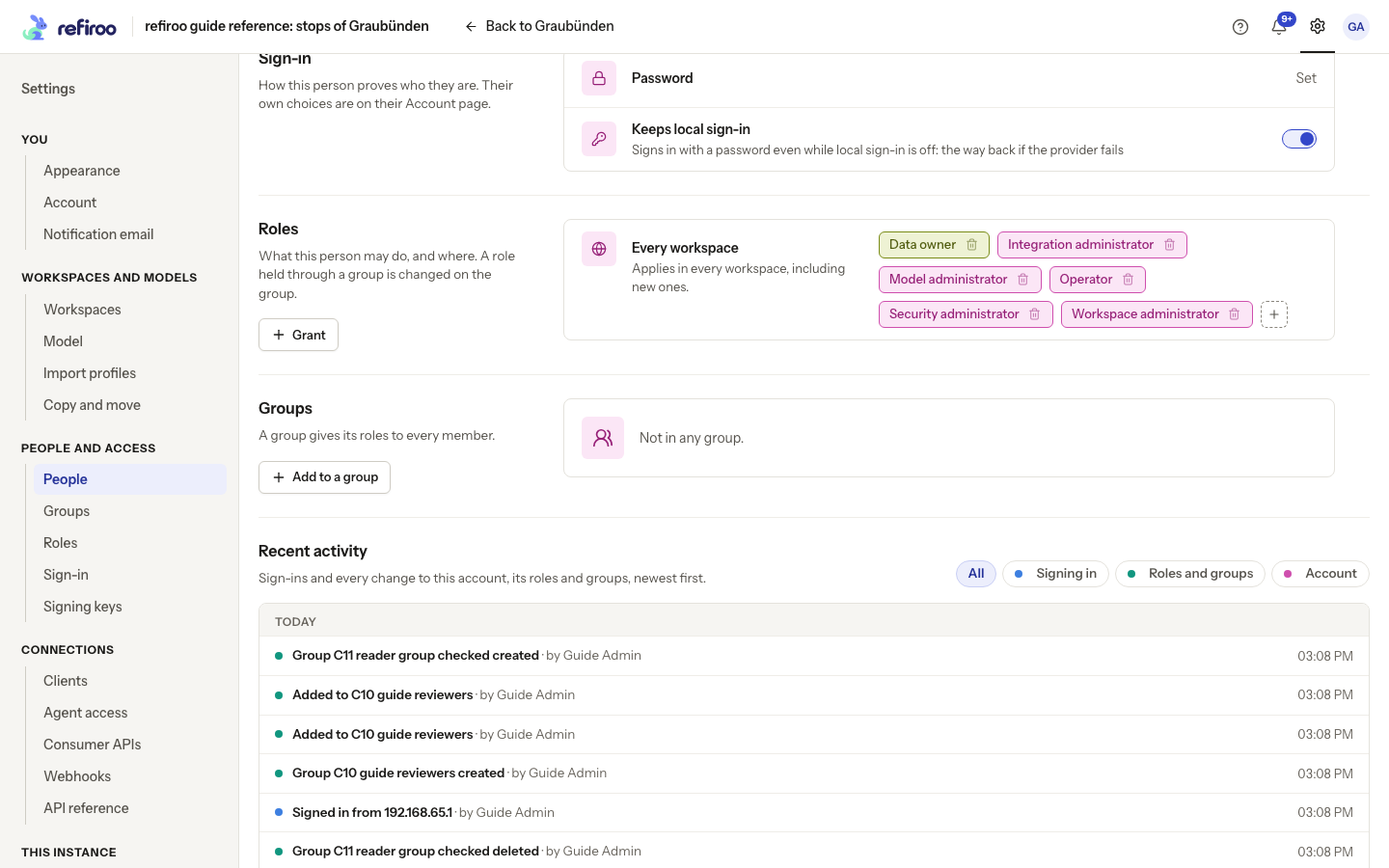
Above: Guide Admin’s Recent activity begins below the groups section. All, Signing in, Roles and groups and Account are separate filters.
Changing only the setting for administrator-managed sign-in records Sign-in managed by an administrator when it is turned on, or Sign-in no longer managed when it is turned off. Look on that person’s Recent activity under Account or All. If name or e-mail details were saved in the same edit, the entry instead lists the changed details.
Use Load more for older activity and Show fewer to shorten the displayed list. A failed load offers Retry; it is not evidence that no activity occurred.
Workspaces and individual records
Section titled “Workspaces and individual records”For all work in one workspace, use Settings › Workspaces, select it and open Activity. For the exact before and after values of a record, open that record’s History. See History for these views and their filters.
Follow Find who changed something for a search across these views.
Recent activity groups events under day headings, starts with ten entries and reads 20 more at a time. The person’s Changes page cannot be exported and shows no field values or model-to-model mapping operations. Open a record’s History for recorded values. A system’s work is marked client; a job or publication is named as the cause where applicable.
The whole-instance security event list is available to authorised integrations, but there is no corresponding Settings screen. Ask the integration owner to use the security model for integrators when they need that broader list. Do not mistake a person’s Recent activity for an instance-wide log.
A deleted workspace’s retained entries can appear in an instance-wide view without an openable workspace; a workspace-filtered view does not make a removed workspace readable. Clearing a filter widens only within your permissions.
Security history retention
Section titled “Security history retention”Security events contain no passwords, secrets, reset links or signing keys. They do not currently expire automatically. Operators should allow for this history to grow with sign-ins and access changes; the data-feed retention period does not prune it.