Find your way around the editor
Open a model draft in the editor. You need Model authoring. See The model editor for saved steps and states. Choose Editor in the Editor | Canvas switch for the panes described here, or edit the same draft on the canvas.
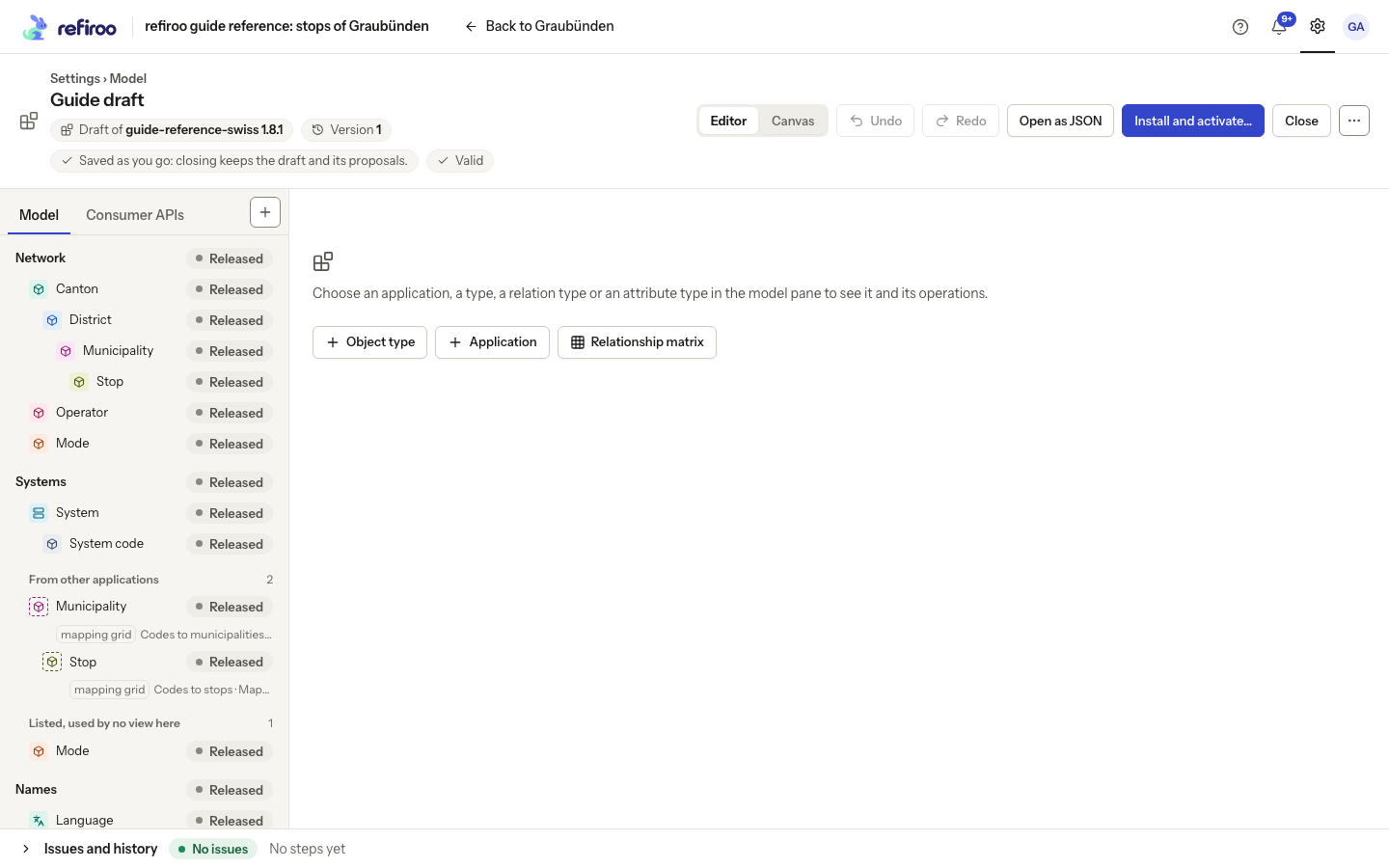
- Read the draft title. Select it to rename the draft. Open About this draft to check its base release, whether it is a new model, draft version and errors or warnings. The version increases with each step; Close keeps the saved draft.
- In Model, unfold an application and select a type. Its centre panel shows Attributes and Relations. Selecting the application instead shows Object types, Views and Navigation groups. The same type can appear in more than one application.
- Select Attribute types or Relation types to inspect reusable definitions. Select Relationship matrix to see permitted type pairs, with the from end down the rows. Use arrow keys in the grid and Enter to select a pair; its panel offers the pair’s actions.
- Use the + Add menu for Application…, Object type…, Attribute type…, Relation type… or Navigation group…. An empty draft asks you to add an application first. The Consumer APIs tab has its own add action.
- Open an element’s operations menu to change it. In the model pane, Up/Down and Home/End move focus, Enter or Space selects, Right/Left unfolds or folds, and Shift+F10 or the context-menu key opens that row’s operations. A type an application lists only because one of its relation views needs it is shown with a dashed icon, in its group or under From other applications, and opens on the application that holds its records; types no view uses come last. A disabled action is not applied.
- Expand Issues and history to inspect errors or saved steps. With a workbook, use Issues, history and dry run and the additional Source pane. Resize the pane dividers for space. On a phone, use the pane tabs; dragging is unavailable, so use the menus.
If an edit reports Not applied, read the reason before trying again. For a newer saved version, follow Work on a draft with others.