Propose again with a newer workbook
Use a saved workbook draft when a corrected file needs the same modelling work. You need Model authoring. See Workbook onboarding for proposal ownership.
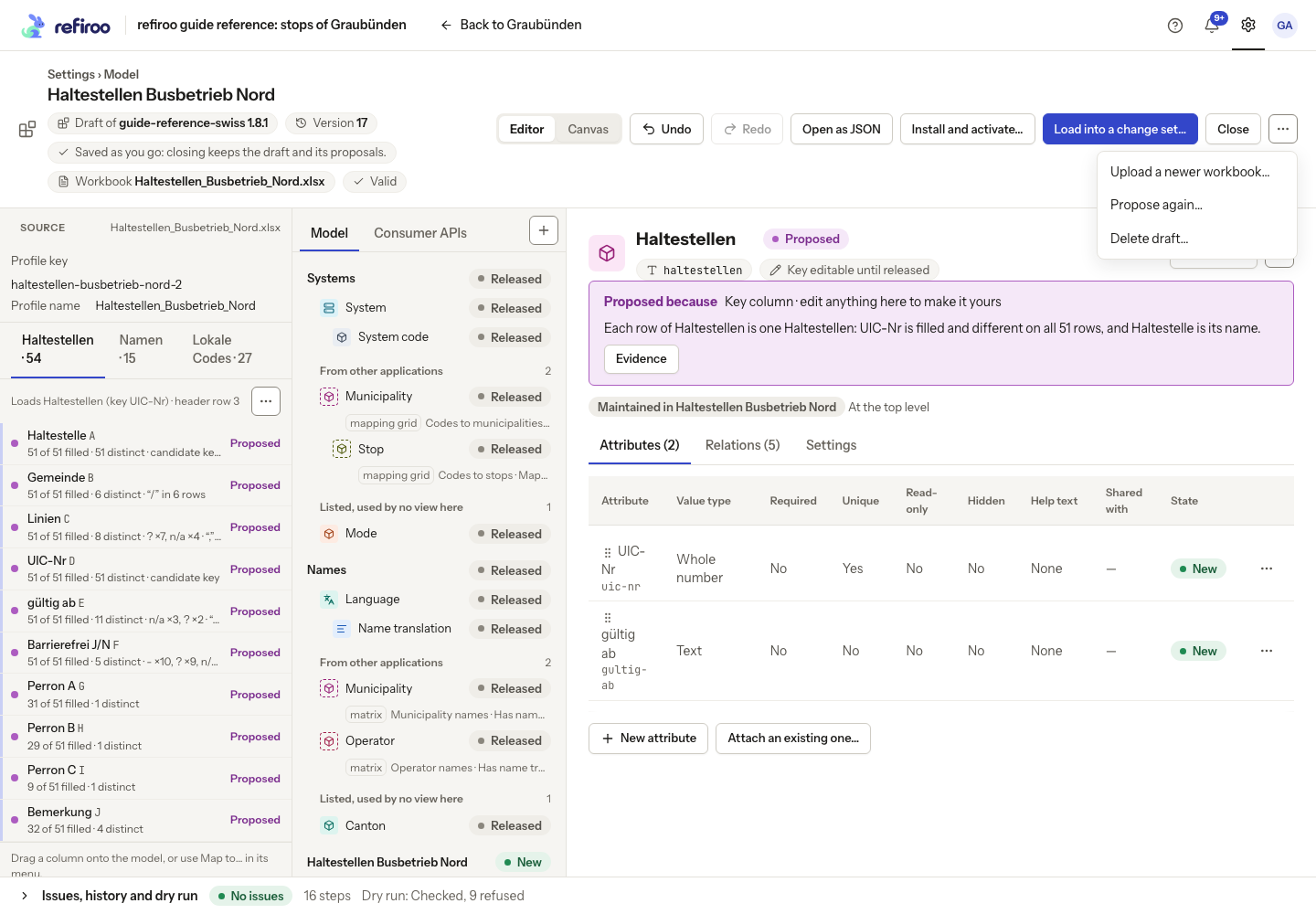
- Open the draft and read History before replacing its source. In More actions, choose Upload a newer workbook…. A draft without a source offers Add a workbook… instead.
- Choose Workbook, an XLSX workbook or CSV file, or drop it onto the field. Review Compare with the records of. Upload and wait for the new source to be profiled. If it fails, read the file error and retry with a corrected file; do not rely on the previous source’s counts.
- Inspect every sheet, changed header and list range. Existing reading instructions may no longer fit the columns. Check your row keys and reference matching before accepting proposals.
- Choose Propose again…. Review A new application, A new model, Additions to the model or Nothing: I will map it by hand, with Application name where offered. Apply the intended choice. Proposing from the workbook pauses editing until it finishes.
- Only elements still as proposed follow the new proposal. Manual edits remain yours and undone proposals stay undone. Review conflicting column choices in Issues, rather than assuming the engine replaced your decision.
- Inspect Proposed because, Evidence and History, then obtain a new dry run before loading.
For routine uploads through an already installed profile, use Settings › Import profiles, Upload the next version… and its comparison instead. Review changed or missing columns, unknown values and missing-record choices before accepting the next file.
Get the example update
Section titled “Get the example update”If you started with the example workbook, download Haltestellen_Busbetrieb_Nord_next.xlsx and select it in Workbook in step 2. This fictional update renames UIC-Nr to UIC number on Haltestellen and adds Capture note, filled with Preview only on the first five data rows. The other two sheets are unchanged.
Use it to practise reviewing a renamed column and an extra column. It does not correct the workbook’s unresolved references. Check the key and mappings again, decide whether to ignore Capture note, and run a new dry run before loading anything.