Compare releases
Open Settings › Model, select a model, Releases, then the release to inspect. See Releases for immutable definitions and permissions.
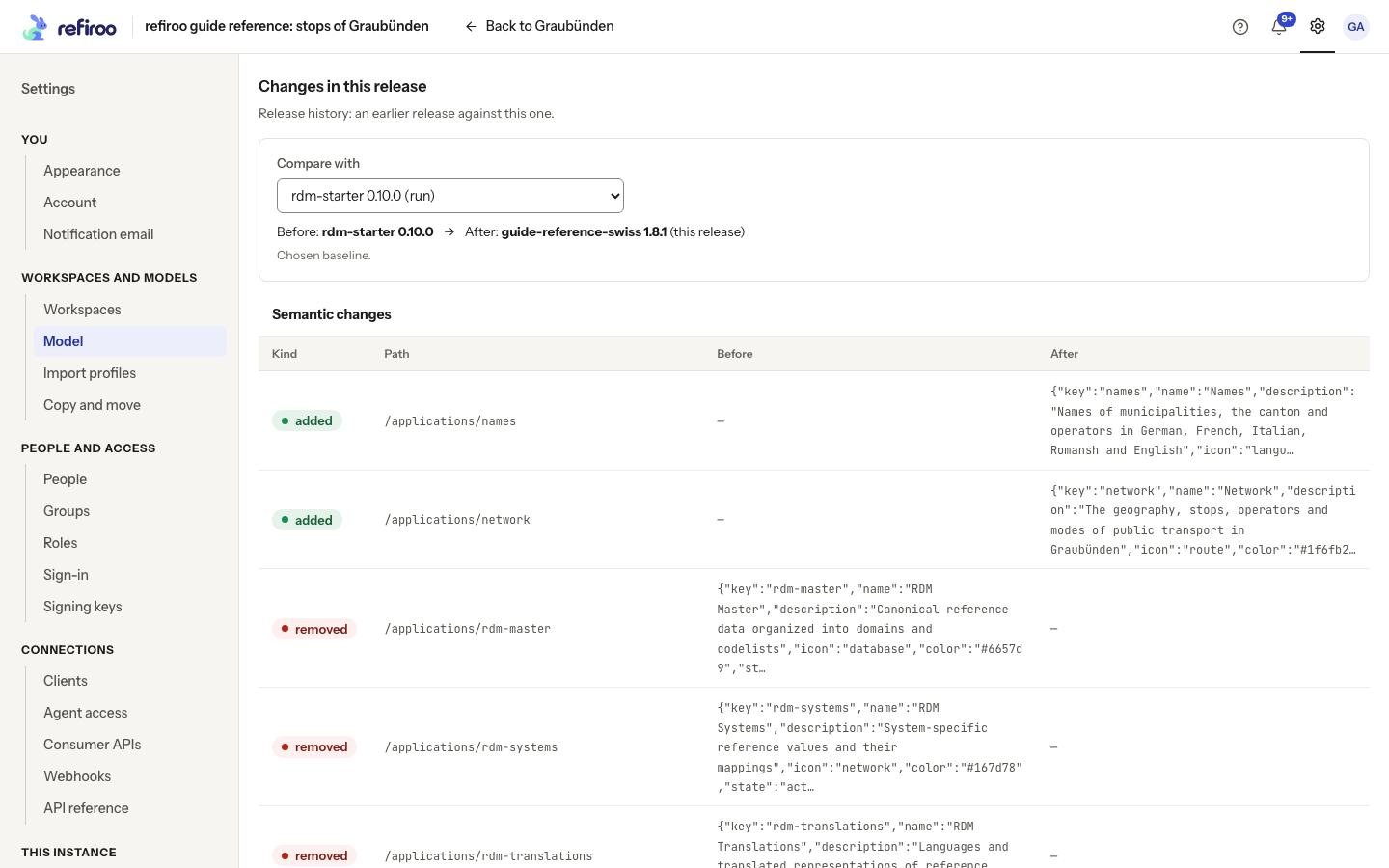
- Find Changes in this release. Read Before and After; After is the open release. The suggested predecessor comes from activation history or the earlier installed release. It is not necessarily the workspace you currently have open.
- Use Compare with to choose another baseline. A comparison may cross model families, so check both names and versions rather than assuming they share a lineage.
- Read the changes table’s Kind, Path, Before and After. These describe model definitions, not a history of record edits. Inspect removals as well as additions.
- No semantic changes means the two documents define the same model. No earlier release means no predecessor is available; select another baseline if offered.
- If Comparison unavailable names an unsupported model language, choose another release. Its metadata and Export JSON remain available for specialist inspection. A loading or failed comparison is not an empty comparison.
The separate activation check under Workspaces running reads each workspace’s data. A small or empty comparison alone does not establish that activation in a chosen workspace is safe.